Agency workspace: seats, multiple accounts and notifications
Several media buyers, several accounts, one invoice.
Trusted by 300+ media buyers, brands and agencies 4.5 on Trustpilot


In short
Published · updated
- An agency workspace consolidates billing into a single invoice, with unlimited creatives, ad accounts and naming conventions.
- Members carry an Admin or Member role, and a Starter, Pro or Scale plan assigned seat by seat.
- The team leaderboard compares members on ads launched, launches, launch success rate and ad accounts, over 7, 30 or 90 days or all time.
- Billing is per seat, monthly with no commitment, yearly, or enterprise from 50 seats with a dedicated account manager.
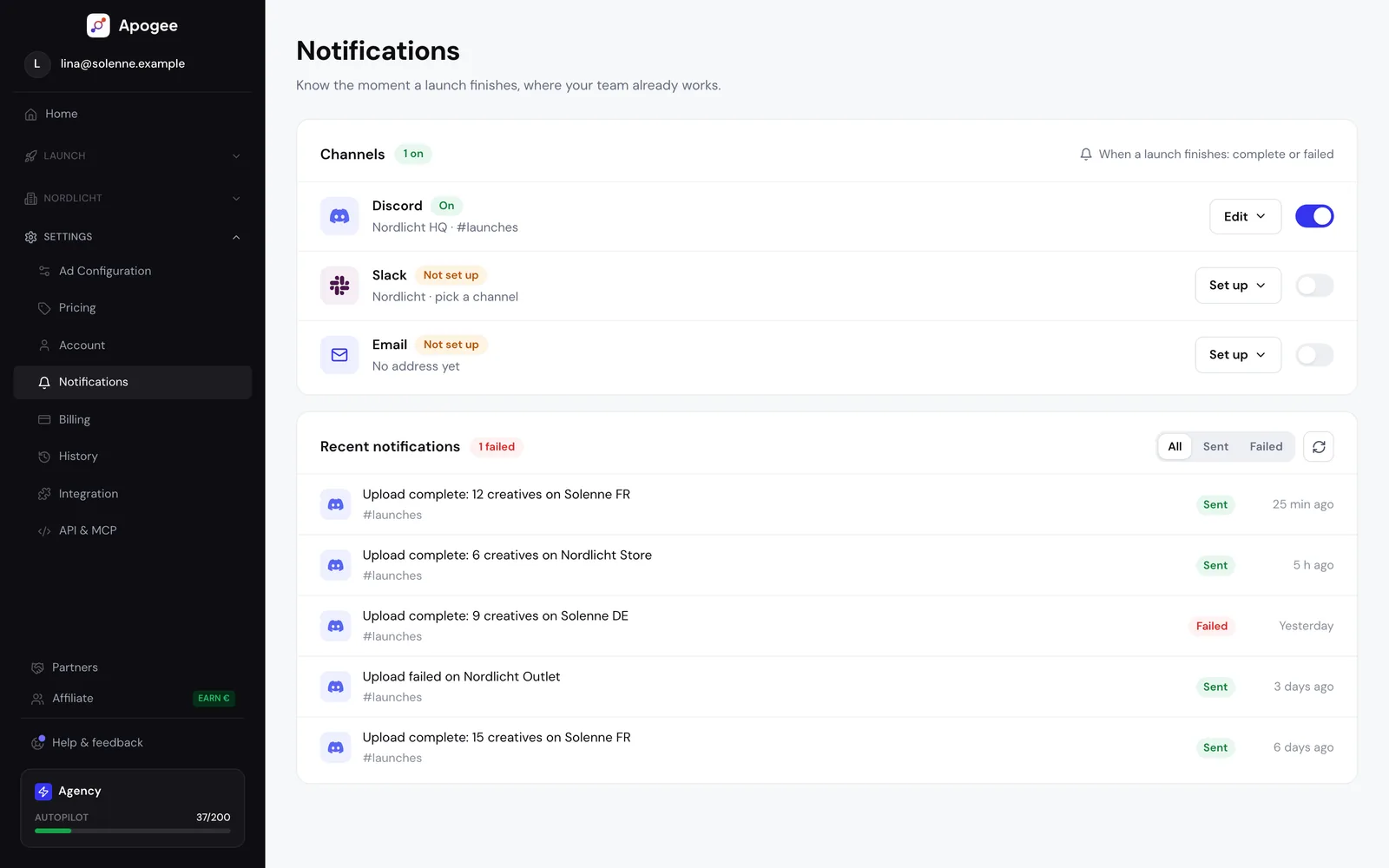
- Upload completion notifications go to Discord, Slack or email, with a viewable history.
An agency does not manage one ad account, it manages fifteen, with different people on them. The problem is no longer launching, it is knowing who has access to what and who pays.
The workspace
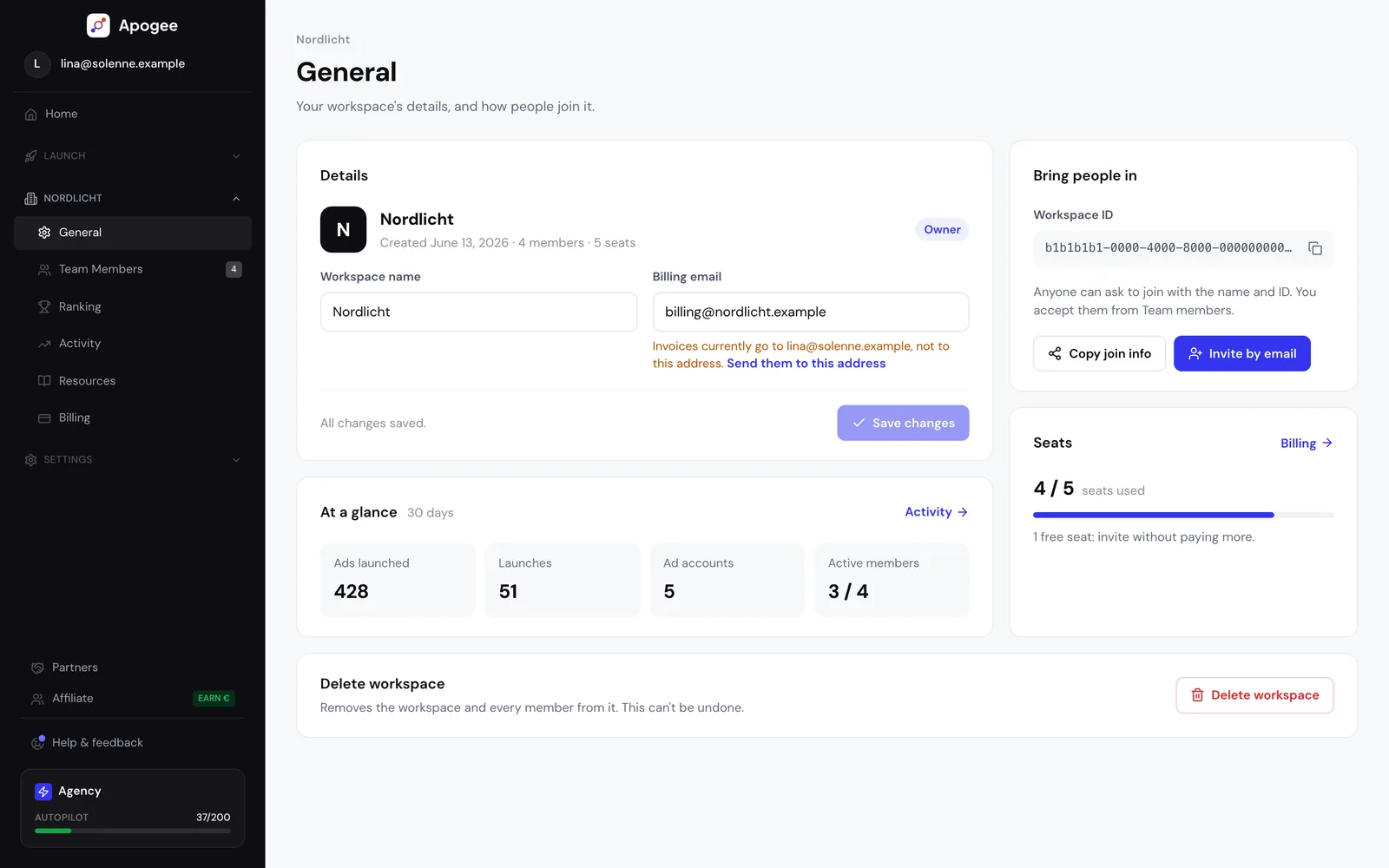
Creating an agency workspace consolidates billing into a single invoice, unlocks unlimited creatives, ad accounts and naming conventions, and comes with centralized consultants, an onboarding training session and priority support. Joining an existing workspace works by name and ID, with admin approval.
The team
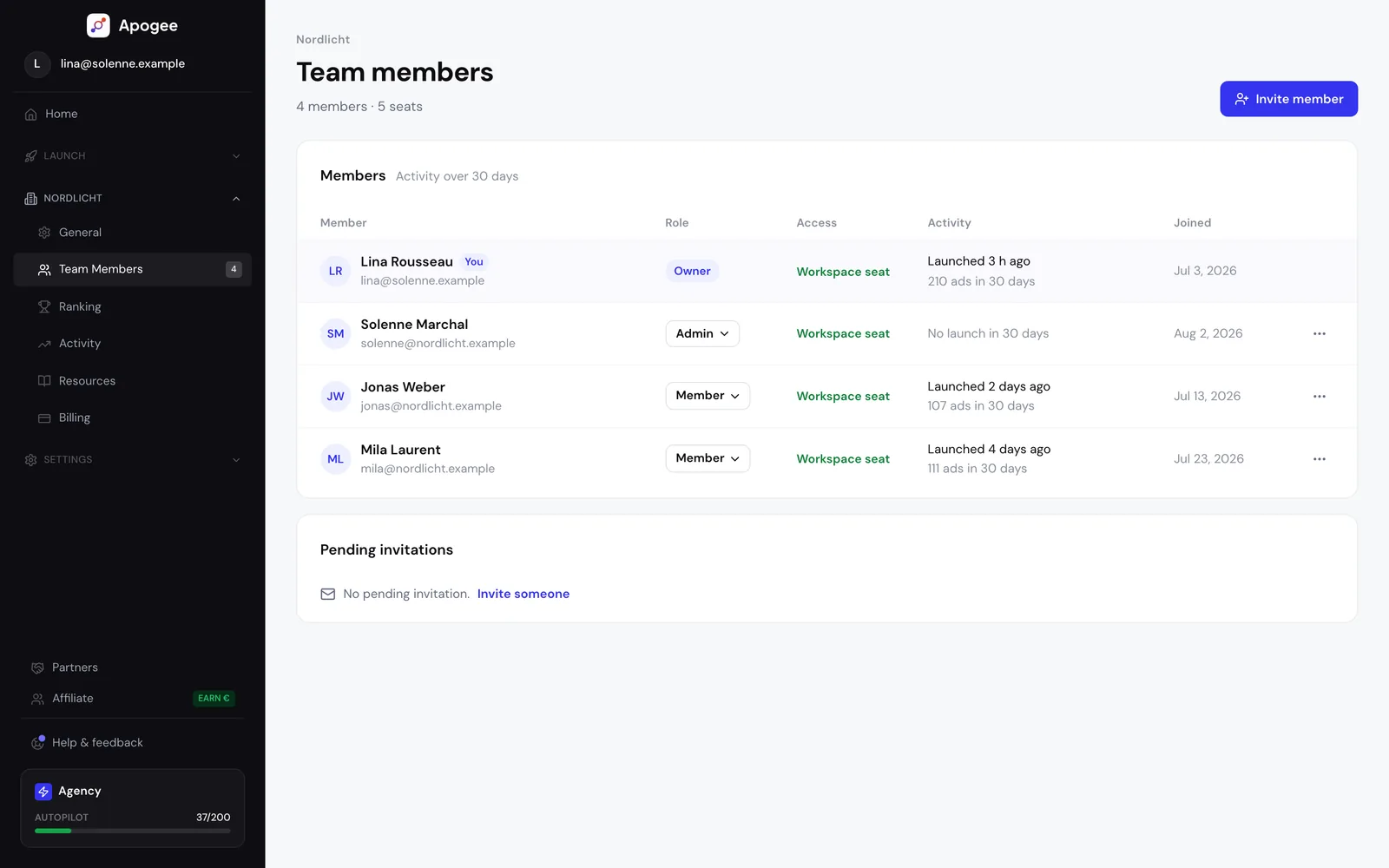
The member table allows changing a role inline, between Admin and Member, assigning a plan seat by seat among Starter, Pro and Scale, transferring ownership, and inviting by email with a copyable link. Pending join requests are handled there.
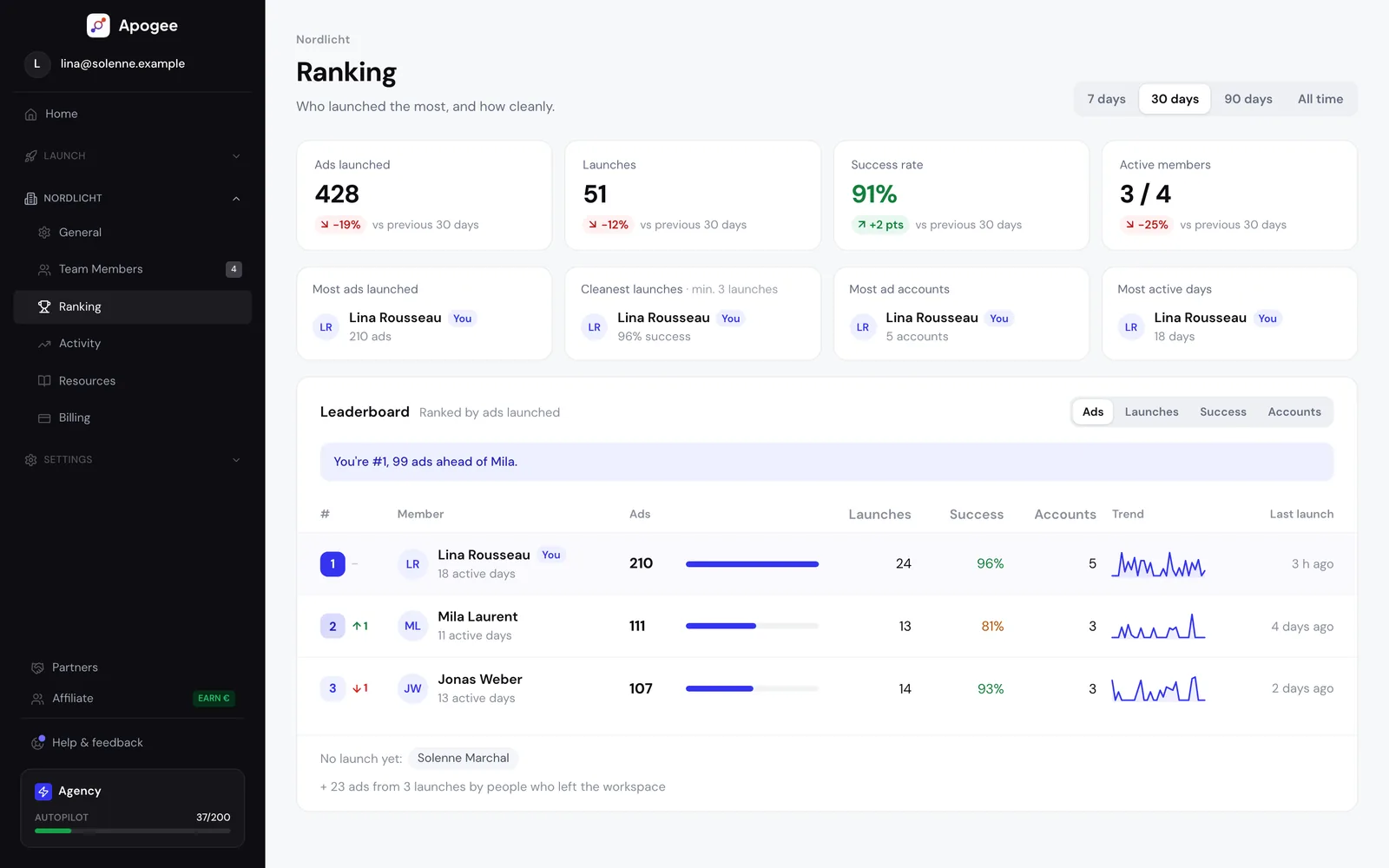
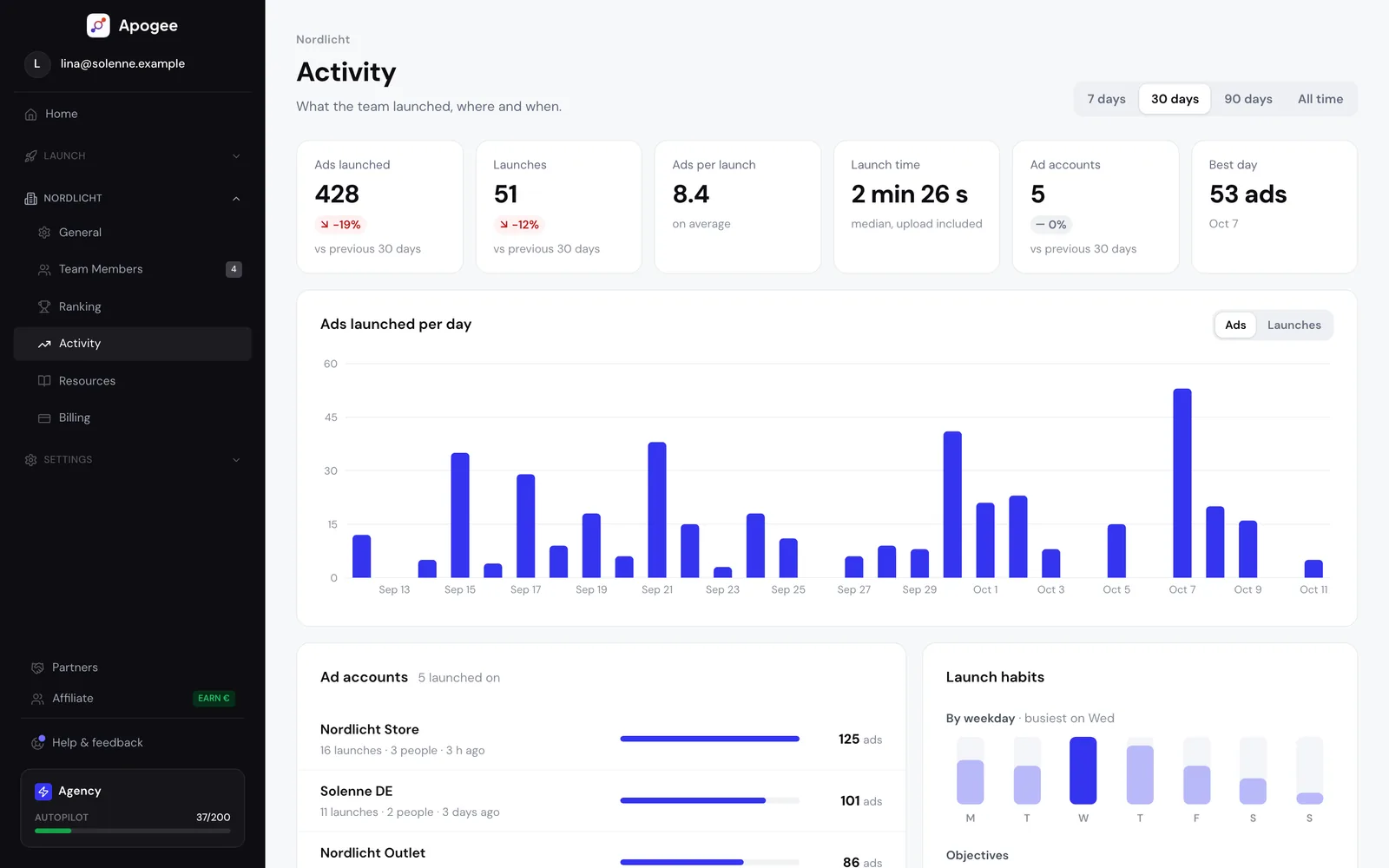
Two views track activity. A team leaderboard answering who is launching the most: ads launched, launches, launch success rate and ad accounts, with the change against the previous period, over 7, 30 or 90 days or all time. And a workspace activity dashboard: ads launched per day or per week, ad accounts, launch habits and recent launches.
The accounts
Several Facebook identities connect, and the number of ad accounts is unlimited. A searchable switcher in the sidebar changes account, and every page is scoped to the selected one.
Notifications
| Channel | What it receives |
|---|---|
| Discord | Upload completion, successes and failures, time saved, channel selection, and Autopilot agent delivery |
| Slack | The same set as Discord, Autopilot agents included |
| Upload notifications and agent reports |
Preferences are set per channel, with content toggles: completion status, number of creatives, upload duration, account name, timestamp, time saved. A history keeps what was sent.
Account health surfaces everywhere: a banner flags a Meta disconnection with one-click reconnect, and a Facebook permissions checklist offers a fix button.
Good to know
The leaderboard measures volume shipped, not performance. A media buyer who launches a lot is not necessarily the one with the best ROAS, and confusing the two creates exactly the wrong incentive.
Per-seat billing remains per-seat billing: a ten-person workspace costs ten seats, whatever the number of accounts managed.
Other features
All features- Bulk upload Meta Ads From raw files to live ads, in a single pass.
- Multi-platform Three ad platforms, one workflow, one creative tracked end to end.
- Bulk upload TikTok Ads Your video files become TikTok ads, no spreadsheet.
- Bulk upload Snapchat Ads Your 9:16 videos become Snapchat ads, ad squad by ad squad.
- Bridge An ad live on one platform goes live on another, with its video; copy, CTA and tracking rewritten for the destination platform.
- Cross-platform stats One creative's performance on each platform, summed then expanded.
- AI naming detection Your naming convention, recognized and applied on its own.
- Testing structures How your creatives are grouped, decided in one card.
- Bulk configuration One configuration set once, propagated across the batch.
- Copywriting Agent Copy written from what the creative actually says.
- Advantage+ controls Eleven toggles, all off by default.
- Duplicate by City A list of cities in, that many localized ad sets out.
- Analytics and funnel What each step costs you, step by step.
- Comment analysis Your ad comments turned into strategic material.
- Autopilot An agent that reads your account, analyzes it, and acts once you agree.
- Creative Studio Produce statics, then decide which ones deserve budget.
Frequently asked questions
Another question? Ask MathieuHow do you join an existing agency workspace?
By its name and workspace ID, with admin approval. Pending requests appear on the admin side, and invitations can also go out by email with a copyable link.
Can different members be on different plans?
Yes. The plan is assigned seat by seat: one member on Starter and another on Scale coexist in the same workspace, on one invoice.
How many ad accounts can be connected to Apogee?
An unlimited number, across several Facebook identities. A searchable switcher in the sidebar changes account, and every page in the product is scoped to the selected one.
What does Apogee's agency workspace include?
An agency workspace consolidates billing for the whole team into a single invoice and unlocks unlimited creatives, ad accounts and naming conventions. It also comes with centralized consultants, an onboarding training session and priority support, with members joining by name and workspace ID after admin approval.
How do you manage a team of media buyers across multiple ad accounts?
In Apogee, the member table lets you change a role inline, between Admin and Member, assign a plan seat by seat, transfer ownership and invite by email with a copyable link. A workspace activity dashboard tracks ads launched, ad accounts and launch habits over time.
How much does Apogee cost for an agency?
Billing is per seat, on a single invoice: €69 per month on Starter, €99 on Pro and €199 on Scale, monthly with no commitment or yearly with a 25% discount. An enterprise plan exists from 50 seats, with a dedicated account manager, and the team builds a quote based on the agency's volume.
Do you pay per ad account or per member?
Per member. Billing is per seat: a ten-person workspace costs ten seats, whatever the number of ad accounts managed, which stays unlimited. A large team working on a few accounts therefore pays more than a small team working on many accounts.
How do you get Facebook ads notifications in Slack or Discord?
Apogee sends its upload completion notifications to Discord, Slack or email; on Discord and Slack, they detail successes, failures and time saved. Preferences are set per channel, with content toggles such as number of creatives, upload duration or account name, and a history keeps what was sent.
What should you do if a Meta ad account disconnects from Apogee?
Apogee flags a Meta disconnection with a banner visible everywhere in the app, with one-click reconnect. A Facebook permissions checklist completes this monitoring and offers a fix button. The connection goes through Meta's official OAuth login: the password is entered on Facebook, never in Apogee.
Does the team leaderboard measure media buyer performance?
No. The leaderboard measures volume launched (ads, launches, accounts) and launch success rate, over 7, 30 or 90 days or all time, not ad performance. A media buyer who launches a lot does not necessarily have the best ROAS, and confusing the two creates the wrong incentive.
Launch your creatives in 47 seconds.
Try the plan of your choice for 7 days for €1. Cancel anytime from the app.