Incredible time saver!
Incredible time saver!
WPWHITE PEARL· Translated from French
The naming convention to copy: structure per level, separators, variables, real examples. Works with Google Sheets and Airtable.
Updated
A naming convention is not about tidiness. It exists to answer one precise question six weeks from now: which creative concept made money, and in which format?
The full convention is published below. The Google Sheets file adds the dropdowns and the concatenation formula, nothing else.
| Level | The question it answers |
|---|---|
| Campaign | Which objective, which market, which period? |
| Ad set | Which audience, which placement, which budget? |
| Creative | Which concept, which format, which iteration? |
A convention applied at one level only is useless: it is the intersection of all three that makes reporting readable.
[OBJECTIVE]_[MARKET]_[OFFER]_[YYYYMM]CONV_US_ANNUAL-PLAN_202608
| Variable | Values |
|---|---|
OBJECTIVE | AWA, TRAF, ENG, LEAD, CONV, RET |
MARKET | 2-letter country code: US, UK, FR, DE |
OFFER | the offer being pushed, in upper kebab-case |
YYYYMM | launch month |
[AUDIENCE]_[TYPE]_[PLACEMENT]_[BUDGET]LAL1-BUYERS_LAL_AUTO_CBO
| Variable | Values |
|---|---|
AUDIENCE | short name of the source audience |
TYPE | BROAD, LAL, INT, RTG, CUSTOM |
PLACEMENT | AUTO, FEED, REELS, STORIES |
BUDGET | ABO or CBO |
This is the level that matters most, and the one that almost always gets rushed.
[CONCEPT]_[FORMAT]_[RATIO]_[ITERATION]UGC-UNBOXING_VID_9x16_v03
| Variable | Values |
|---|---|
CONCEPT | the creative idea, stable across iterations |
FORMAT | VID, IMG, CAR, COLL |
RATIO | 1x1, 4x5, 9x16 |
ITERATION | v01, v02, v03… |
The key point: CONCEPT stays identical across variants. That is what lets you aggregate
performance by creative idea and not just by file.
1. One field separator, one word separator. Underscore between fields, hyphen inside a field. Mixing the two makes splitting impossible.
2. No accents, no spaces, no slashes. Créa_Été/Promo breaks every export. Accents and slashes
turn against you the moment you cross Meta’s export with a spreadsheet.
3. Fixed-length codes. 9x16, not 9:16 and not vertical. A variable-length code breaks
split formulas.
4. Dates as YYYYMM, never MM-YYYY. It is the only format that sorts correctly
alphabetically.
5. The separator must match what your reporting splits on. If your dashboard runs SPLIT on
_, the creative name has to carry exactly the right number of underscores. Test it on one
creative before launching fifty.
| Level | Name |
|---|---|
| Campaign | CONV_US_ANNUAL-PLAN_202608 |
| Ad set | LAL1-BUYERS_LAL_AUTO_CBO |
| Creative | UGC-UNBOXING_VID_9x16_v03 |
Reads as: conversion campaign on the US market for the annual plan, launched August 2026; lookalike of buyers, automatic placements, budget managed at campaign level; UGC unboxing creative, vertical video, third iteration.
It says nothing about the quality of your concepts, and it does not replace team discipline. A convention that two people out of five follow produces worse reporting than no convention at all, because it looks trustworthy.
It also assumes you are willing to rename your files before import. That is the only moment when it is easy.
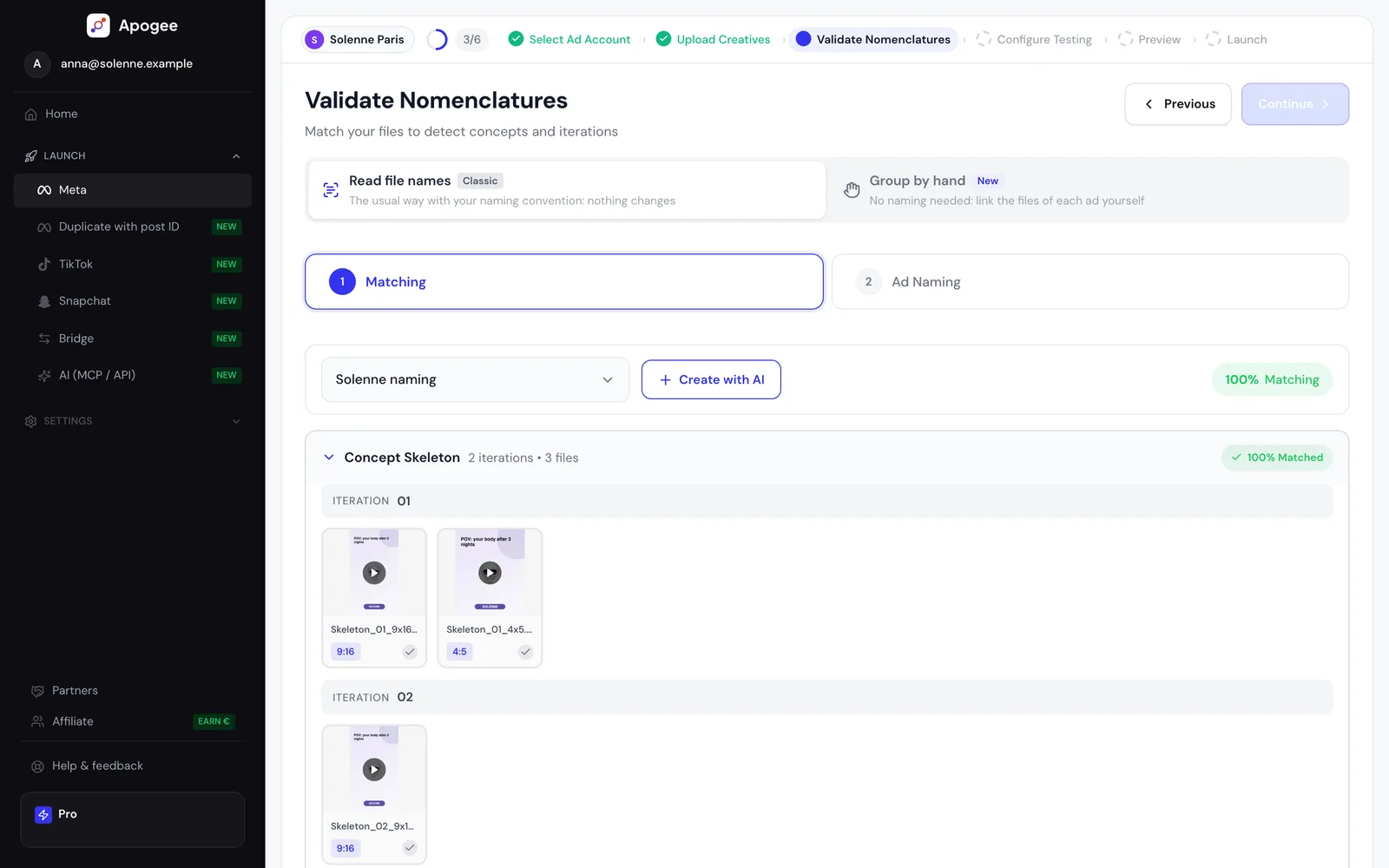
A strict naming convention is what lets a tool rebuild the campaign structure without you re-entering it. Apogee reads these names on import to derive concept, format and iteration, then structures the ad sets accordingly. The convention stays yours: it gets read, not imposed.
To understand the reasoning behind each field rather than copy the structure, see the Meta Ads naming convention guide.
Over 67,000 creatives launched with Apogee since day one.
Incredible time saver!
WPWHITE PEARL· Translated from French
Apogee is a tool that saves precious time on ad uploads. The founder really listens and takes feedback into account to improve the tool.
I recommend it!
HBHardy Botombe· Translated from French
I can’t do without it anymore! Less time spent on assembly-line uploads, more for analysis and strategy. Apogee clearly makes all the difference. Thanks again Mathieu for being so available!
CSClémence Sigé· Translated from French
I tried Apogee and the time savings are real. It’s quick to pick up, the interface is clear and you get to a usable result fast. It helped me move faster on tasks that used to take me quite a while. I recommend it to anyone who wants to be more efficient without overcomplicating things.
AArmand· Translated from French
We run a performance marketing agency and launch Meta Ads for several clients every week. Before Apogee, a launch meant uploading creatives one by one in Ads Manager and renaming every file. It took a lot of time for very little added value.
Now we drop in a folder of creatives, Apogee recognizes our naming convention, builds the testing structure and the whole batch is live in a few minutes. Our media buyers spend that time on strategy and data analysis instead of manual uploads.
If you're a media buyer or an agency doing a lot of bulk uploads, Apogee will free up your team's time for what really creates value for your clients.
And the more value you create for your clients, the more money you make in return ;)
BJbenjamin jolivot
A customer since day one: this tool is incredible and has redefined the way I work.
I literally used to spend 3 hours on my ad testing, now it takes me 2 minutes.
Hats off to Mathieu for this game-changing tool for every e-commerce owner, and for his responsiveness. They build features live based on what you need, just ask.
Apogee to the moon!
SQSamy Qamar· Translated from French
easiest way for bulk upload +100 ads per week now i can focus on my strategy , good software and good customer support , very reactive
VLVictor LIGNEL
this is very usefull, i am actually saving few hours per week !!
SSStéphane Samy
Apogee is a real banger, a game changer every day. The bulk upload lets you launch campaigns in a few clicks and automate time-consuming tasks.
I find the tool intuitive, and it lets you focus on what matters most: testing, analyzing and optimizing performance.
Big plus for how available and responsive Mathieu, the founder, is 🙏 I can only recommend it.
BABrian Adam· Translated from French
It’s the best app for pushing ads in bulk. It’s super fast and simple to set up. I can only recommend it, it has saved me a huge amount of time.
HMHugo Madureira· Translated from French
Very useful software: it saves a massive amount of time and it’s really well thought out!
DDP· Translated from French
Apogee is a banger of a tool for bulk uploading my ads in the right format. Huge time saver. I recommend it to everyone!!
NPNicolas Provost· Translated from French
Just launched my 80 creatives in 3 mins lol. Totaly a game changer for our growth team. Thanks you guys for this.
MMathieu
Apogee has clearly changed the way I work. The bulk upload is super efficient, we save precious time, and we’re never going back!!
The founder is also super available, which really makes the difference.
EEtienne· Translated from French
Try the plan of your choice for 7 days for €1. Cancel anytime from the app.