Bulk upload 7 min read
Meta Ads Uploader Tools Compared: Apogee, Blip, AdManage
A comparison of the Meta ads uploaders on the market, built from what each one publishes about itself, with prices, integrations and where each is strongest.

Contents
If you search for a Meta ads uploader you find a category that nobody describes plainly: a handful of tools with similar landing pages, all promising to save hours, none of them stating what they do differently from each other.
This page compares them. It is published by Apogee, which is one of them, so read it accordingly. Every claim about another product is taken from that product’s own website, checked in August 2026, and you can verify each one at the source.
What do Meta Ads uploader tools actually do?
They take a batch of creative files and turn them into live Meta ads: media uploaded, ads named, ad sets created, one configuration applied across the batch, everything published through the Marketing API.
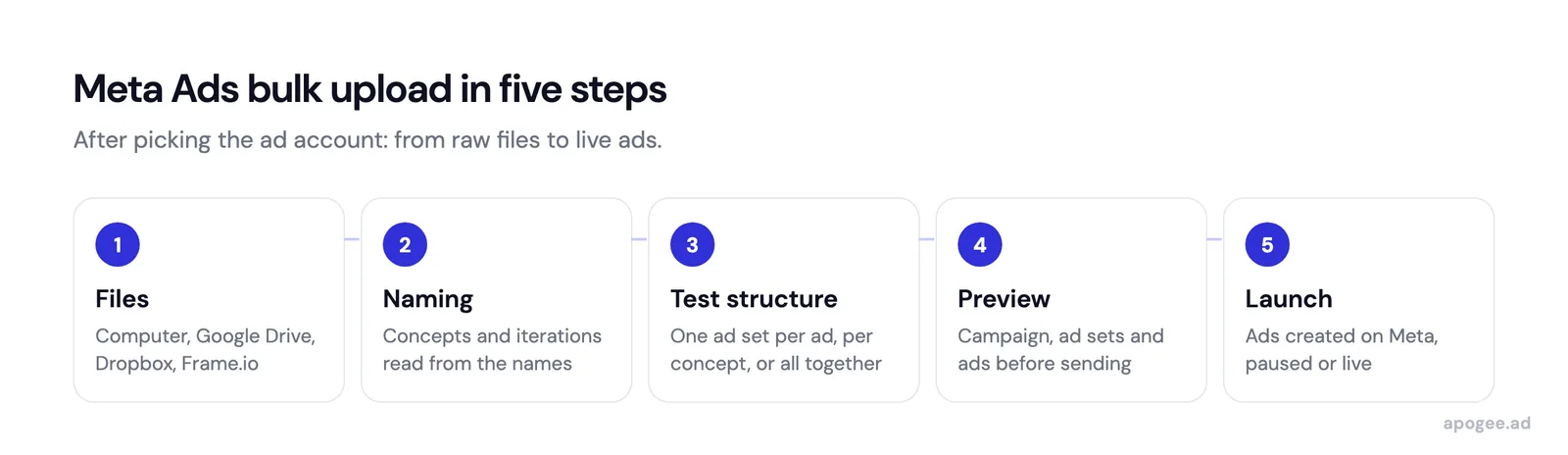
The work removed is repetition. Publishing one creative in Ads Manager is roughly ten clicks. Two hundred ads is two thousand clicks, and the two thousandth is where the mistakes are.
Why are Meta’s own bulk tools not enough?
Ads Manager has two bulk features and conflating them is where most confusion starts.
Bulk edit changes entities that already exist: pause forty ad sets together, shift budgets, adjust schedules. For maintenance it is genuinely good and genuinely underused.
Bulk import accepts a spreadsheet where each row describes a campaign, an ad set or an ad. It creates structure at scale, and it has one hard limit: it does not accept creative files. The media must already be in the account, which means a person uploaded every video one at a time before the spreadsheet could reference it.
That constraint is the reason this whole category exists.
The comparison
Published prices and features, taken from each product’s own site in August 2026, with AdManage rechecked on 1 October 2026. Prices are given in the currency each vendor publishes.
| Apogee | Ads Uploader | Blip | AdManage | |
|---|---|---|---|---|
| Entry price | €69/mo, after a 7-day trial for €1 | $44/mo | $49/mo | £199.99/mo |
| Top published tier | €199/mo | $44/mo, single plan | $370/mo | £999.99/mo, then custom |
| Ad accounts on entry tier | Unlimited | Unlimited | 1 | 1 |
| Platforms | Meta, TikTok Ads, Snapchat Ads (Sales objective only on the last two) | Meta | Meta, TikTok announced | 12 channels: Meta, TikTok, Google Ads, Snapchat, Pinterest, Reddit, X, LinkedIn, AppLovin, Taboola, ChatGPT Ads, Mintegral |
| Automatic naming | AI detection of your convention | Dynamic naming patterns | Customizable naming conventions | Auto-grouping, 40+ filename patterns |
| Advantage+ controls | 11 toggles, all off by default | Creative enhancement controls | Toggle all Meta creative enhancements | Enhancement Lock |
| Cloud import | Frame.io, Drive, Dropbox | Google Drive | Drive, Dropbox, Frame.io announced | Drive, Dropbox, Frame.io, Box, Air, Canva, Figma, SharePoint |
| API or agent access | Autopilot AI agent | CLI and MCP server | Not published | MCP server and REST API |
| Comment analysis | Yes, with AI analysis | Not published | Not published | Comments inbox |
Two things stand out from the table itself.
Automatic naming and Advantage+ controls appear in all four. They are table stakes in this category, not differentiators, whatever any landing page implies.
And the pricing models are not comparable on the headline number. Blip and AdManage tier on the number of ad accounts, so an agency with eight clients lands on a much higher plan than the entry price suggests. Ads Uploader and Apogee do not tier that way.
Which tool is strongest at what?
AdManage (full comparison with Apogee) publishes the widest platform support, 12 ad channels, plus the widest set of cloud integrations including Canva, Figma and SharePoint. If your creatives live across several tools and you buy on more than Meta, nothing else in this table matches that breadth. It is also the most expensive entry point.
Ads Uploader (full comparison with Apogee) publishes the lowest paid price, one plan at $44 a month, with unlimited ad accounts and unlimited spend. It also publishes a CLI and an MCP server, which is unusual at that price and interesting if you want to script your launches.
Blip pairs launching with analytics: anomaly detection and one-click recommendations sit alongside the bulk launcher, and Instagram whitelisting and partnership ads are called out explicitly. Its entry tier covers one ad account, so the fit depends on whether you run one brand or many.
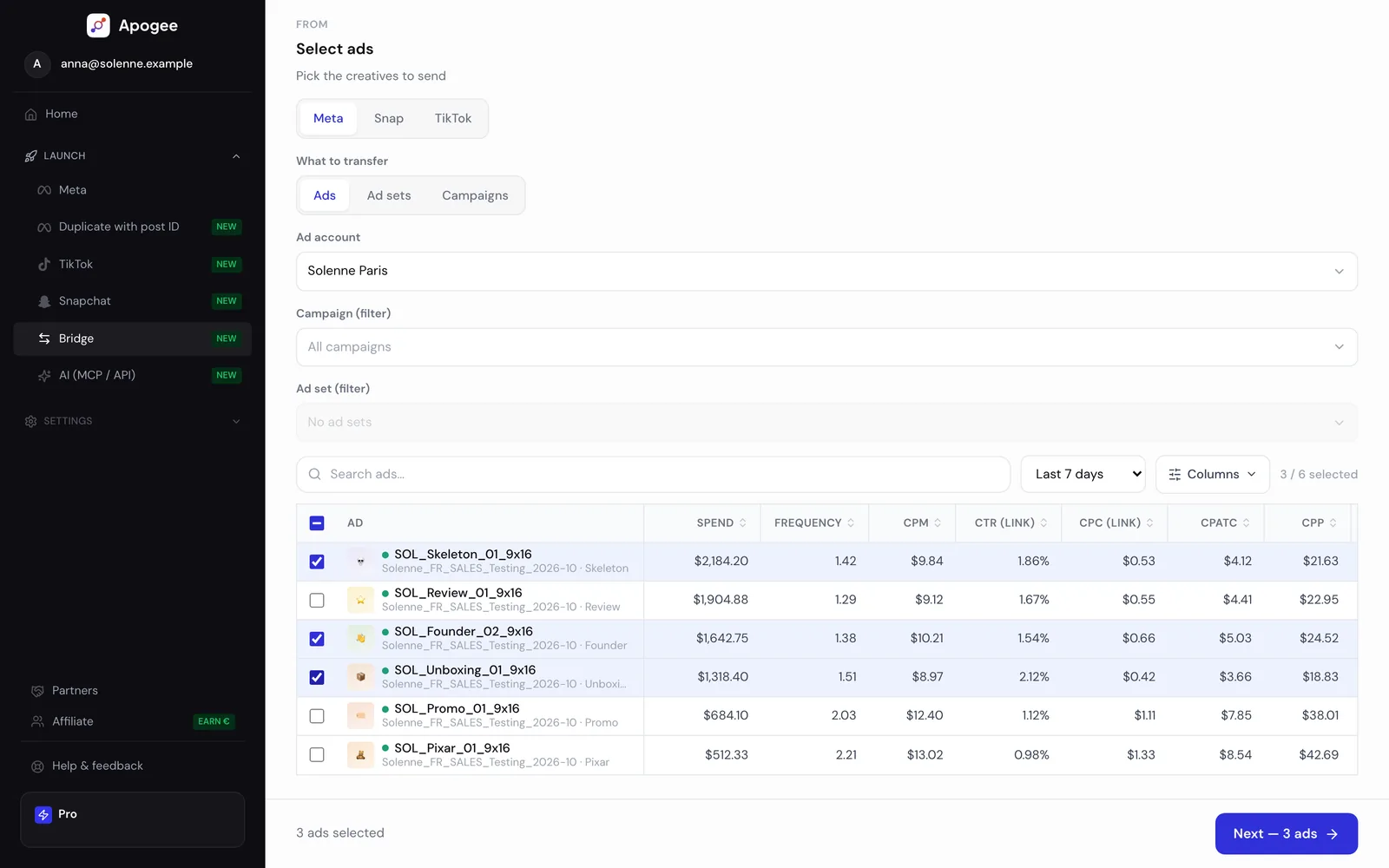
Apogee is the tool this site sells, so treat the following as a vendor describing itself. It covers Meta, TikTok Ads and Snapchat Ads, with the Sales objective only on TikTok and Snapchat, and its Bridge moves a live ad from one of the three to another. Its distinguishing pieces are the AI naming detection, which reads your existing file names and infers the convention rather than asking you to define one, four selectable testing structures including insertion into ad sets that are already learning, and the AI layers: a copywriting agent that works from the video transcript or the static’s visual content, comment analysis that turns ad comments into objections and hooks, and a conversational agent for the account. Each plan can be tried for 7 days, with no ad limit, for €1.
When is Apogee not the answer?
Being honest about this is more useful than another paragraph of features.
If you buy on Google, Pinterest or LinkedIn as well as Meta, Apogee does not cover them and AdManage does. On TikTok and Snapchat, Apogee only runs the Sales objective, so a Traffic, Leads or App campaign there is out of reach.
If price is the deciding factor and you only need bulk launching, Ads Uploader is cheaper and publishes unlimited ad accounts on its single plan.
If your creatives live in Canva, Figma or SharePoint, Apogee reads Frame.io, Drive and Dropbox only, and AdManage publishes the wider set.
If you launch fewer than roughly twenty ads a week, none of these tools is worth the setup. The threshold is not a number of ads but a number of repetitions: fifty ads launched once is a busy afternoon, ten ads relaunched weekly across five accounts is a bulk problem.
Which criteria matter when you test them?
Whichever you trial, four questions separate these tools in practice and none of them is answered by a feature list.
Does it read your file names and infer your convention, or do you define the pattern yourself? On two hundred files this is the difference between a click and an afternoon.
Which testing structures can it build? A tool that only creates one ad set per ad has decided your testing method for you.
Does it bundle the formats of one concept into a single ad? A tool that creates four ads from four ratios has multiplied your ad count rather than saving you work.
What happens when a batch partly fails? A video gets rejected, a lead form is missing, an account gets rate limited. The question is whether you retry the six that failed or redo all two hundred, and it is the criterion nobody evaluates before buying and everybody cares about in week one.
What does no uploader solve?
An uploader publishes faster. None of them makes the creative better, and none tells you which concept deserves testing. Two hundred weak ads launched in one pass are still two hundred weak ads, arriving sooner.
An uploader covers one job out of four. Producing the creatives, reading the tests and steering spend each call for other tools, and Mathieu Malige maps which tool fits each job in The Facebook Ads Tools Stack in 2026, on LinkedIn.
They also inherit your naming discipline rather than replacing it. If your files carry no concept and no iteration, the best detection in the category produces a technically clean campaign that nobody can read in reporting three weeks later.
And none of them removes Meta’s own limits. Rate limits still apply, review still rejects what it rejects, and the learning phase still needs its events.
One caveat on the comparison itself: it reflects what each vendor published in August 2026, with AdManage rechecked on 1 October 2026. Pricing and feature lists in this category change often, and the table above will drift. Check the source before making a decision on it.