More articles 6 min read
Meta Ads Specs 2026: Sizes, Ratios and Video by Placement
Meta ad sizes, ratios, file limits and video lengths for Feed, Stories, Reels and Marketplace, checked against Meta's official Ads Guide in October 2026.

Contents
- Which ratio and resolution for each placement?
- What are the video specs?
- Which file size and file type?
- How many characters for the text?
- Which margins to leave on vertical formats?
- Where do Meta’s own pages contradict each other?
- What these specs do not solve
- How do you prepare a batch of creatives to spec?
A badly sized creative does not break a launch. It shows up cropped, letterboxed, or with its headline hidden under a button, and nobody notices until they look at the results.
This page gathers Meta ad specs by placement: ratio, resolution, file size, video length and text length. Every value comes from Meta’s Ads Guide (facebook.com/business/ads-guide) and Meta’s Help Center, read on October 12, 2026.
Which ratio and resolution for each placement?
| Placement | Recommended ratio | Recommended resolution | Minimum width |
|---|---|---|---|
| Facebook Feed | 4:5 | 1440 x 1800 px | 600 px (750 px tall) |
| Instagram Feed | 4:5 | 1440 x 1800 px | 500 px |
| Facebook and Instagram Stories | 9:16 | 1440 x 2560 px | 500 px |
| Facebook and Instagram Reels | 9:16 | 1440 x 2560 px | 500 px |
| Marketplace | 1:1 | 1080 x 1080 px minimum | |
| Facebook search results | 1:1 to 1.91:1 | 1080 x 1080 px minimum | 600 px |
Meta allows a small tolerance on the ratio: 3% in Facebook Feed, 1% on Instagram and in Stories. Beyond that, the creative gets cropped.
In practice, three files cover every placement: a 4:5 for the Feeds, a 9:16 for Stories and Reels, a 1:1 for Marketplace and search. Most accounts only need the first two.
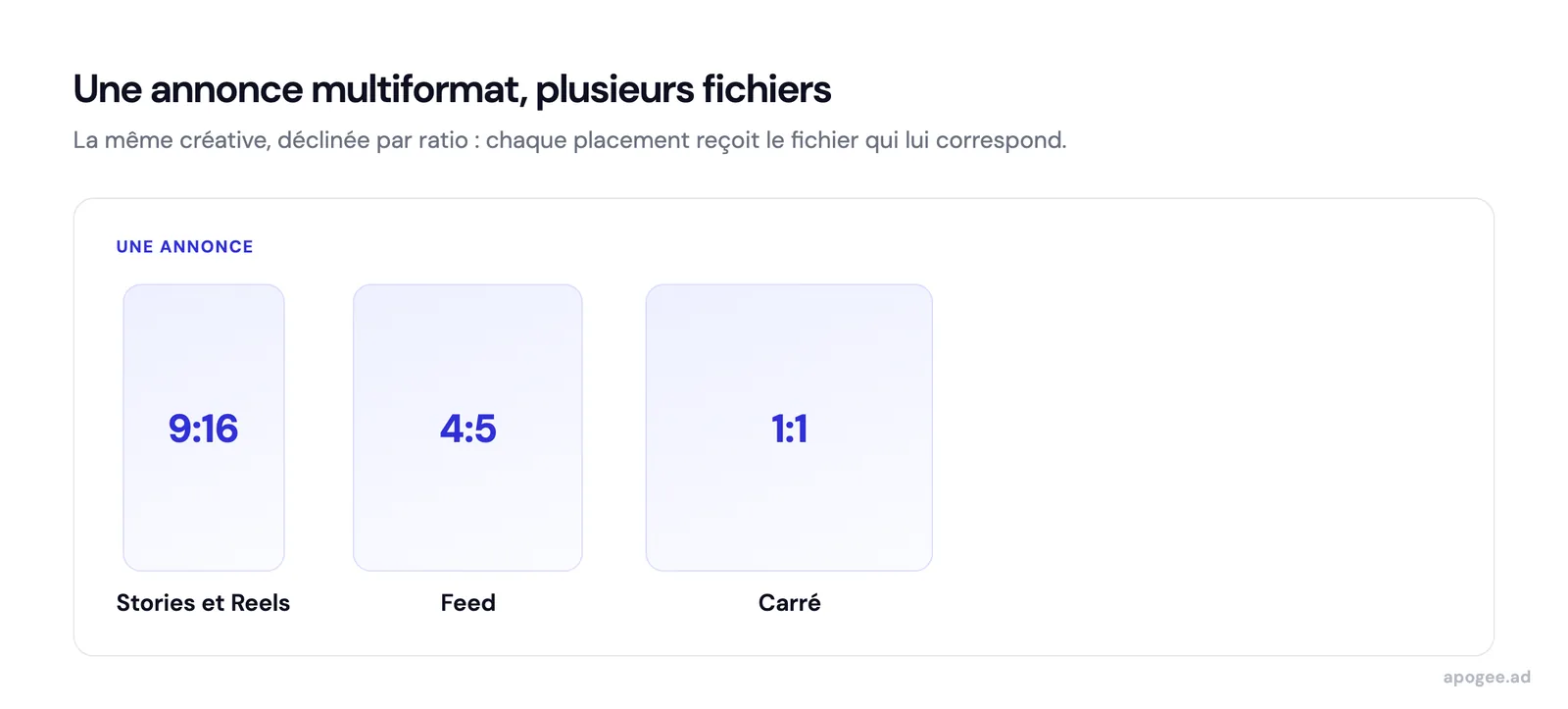
These versions are not three ads. They go into a single ad, each ratio assigned to its placements, as explained in the article on multi-format 4:5 and 9:16 ads.
What are the video specs?
| Placement | File types | Length |
|---|---|---|
| Facebook Feed | MP4, MOV, GIF | 1 second to 241 minutes |
| Instagram Feed | MP4, MOV, GIF | 1 second to 60 minutes |
| Instagram Stories | MP4, MOV, GIF | 1 second to 60 minutes |
| Instagram Reels | MP4, MOV | 0 seconds to 15 minutes |
| Facebook Reels | MP4, MOV, GIF | no maximum |
| Marketplace | MP4, MOV, GIF | 1 second to 241 minutes |
Meta asks for H.264 compression, a fixed frame rate, progressive scan and stereo AAC audio at 128 kbps or more. The cap is 4 GB per video on every placement.
An allowed length is not a recommended one. A 20-minute video runs in Facebook Feed, but the limit exists for long-form content: for an ad, what matters is what people see in the first seconds.
Which file size and file type?
| File types | Maximum size | |
|---|---|---|
| Image | JPG or PNG recommended | 30 MB |
| Video | MP4 or MOV recommended, GIF accepted on most placements | 4 GB |
Meta accepts other image formats but recommends JPG or PNG “for best results”.
If you launch your creatives with Apogee, one more limit applies: 500 MB per file on import. A heavier video that Meta would accept has to be compressed before it joins the batch. Apogee accepts MP4, MOV and AVI for video, JPG, PNG, GIF and WEBP for images.
A video Meta accepts can still be blocked when you import it into Apogee: the cap is 4 GB at Meta but 500 MB per file in Apogee. Compress heavy videos before you drop the batch.
How many characters for the text?
Meta’s Help Center gives a general recommendation:
| Field | Recommended length |
|---|---|
| Primary text | 125 characters |
| Headline | 40 characters |
| Description | 25 characters |
Some placements are shorter. The Ads Guide lists 27 characters for the Facebook Feed headline, 44 characters for primary text in Instagram Reels, and 40 in Facebook Reels.
These are not technical maximums but lengths beyond which Meta may truncate the text. Meta advises primary text that spans one to three lines. No official page gives the exact number of characters shown before “See more”.
Which margins to leave on vertical formats?
In Stories and Reels, part of the screen is covered by the interface: account name, ad text, call-to-action button. Meta recommends keeping roughly 14% at the top, 35% at the bottom and 6% on each side free of text and logos.
On a 1080 x 1920 px canvas, that is about 269 px at the top, 672 px at the bottom and 65 px on each side.
Where do Meta’s own pages contradict each other?
Reading the Ads Guide and the Help Center side by side, several values do not match:
| Topic | One Meta page says | Another Meta page says |
|---|---|---|
| Video length in Facebook Stories | 1 second to 3 minutes (Ads Guide) | 1 to 120 seconds (Help Center) |
| Single image in Instagram Feed | 4:5 recommended (Ads Guide) | 1:1 recommended (Help Center) |
| Facebook right column | 1:1 (Ads Guide) | 1.91:1 recommended (Help Center) |
| Bottom margin in Stories | 35% (most Ads Guide pages) | 20% (Facebook Stories video page of the Ads Guide) |
When two pages disagree, use the safer value and check the preview in Ads Manager before launching.
When two Meta pages disagree, the safer value protects the creative: a 35% bottom margin rather than 20%, and 120 seconds rather than 3 minutes for a Facebook Stories video.
What these specs do not solve
Following the specs prevents cropping. It says nothing about how a creative performs: a perfectly sized image can still sell nothing.
The specs do not protect you from automatic changes either. Advantage+ creative enhancements can crop, add music or overlay text, and they are switched off creative by creative, as explained in the article on disabling Advantage+.
Finally, Meta warns that a published ad can look different from its preview: font, text size, spacing and cutoff can vary by device.
How do you prepare a batch of creatives to spec?
- Export one file per ratio for each concept: 4:5 and 9:16 at minimum, 1:1 if you target Marketplace.
- Put the ratio in the file name. A Meta Ads naming convention that carries concept, iteration and format saves you from assigning files by hand.
- Check file sizes before import if your videos are long or very high resolution.
- Check margins on vertical formats during editing, not after launch.
On import, Apogee’s bulk upload shows the ratio detected on each file (1:1, 9:16, 16:9 or 4:5) and groups the versions of one creative into a single Meta ad.
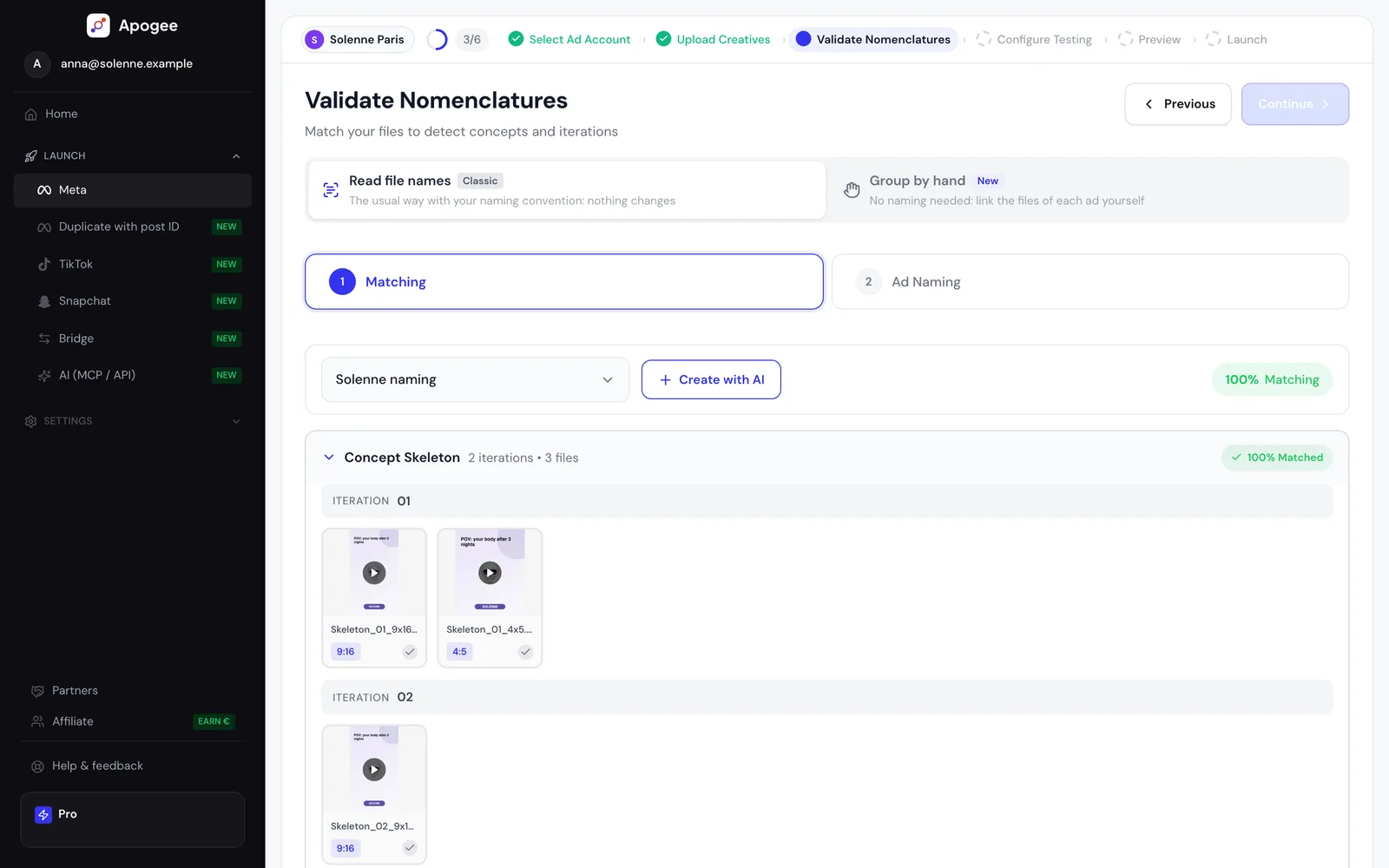
The Meta Ads launch checklist includes these checks among its 23 points, and the Meta Ads bulk upload guide shows how to launch the batch once the files are ready.