Test structure 8 min read
Multi-Format Ads on Meta: 4:5 Feed and 9:16 Reels in One Ad
What multi-format ads mean on Meta, the ratio each placement expects (4:5 Feed, 9:16 Stories and Reels) and how to put every version in a single ad.

Contents
- What are multi-format ads?
- Why does Meta Ads need several formats?
- How does placement asset customization work across Feed, Stories and Reels?
- Do multi-format video ads work the same way?
- What goes wrong when you handle formats by hand?
- What does multiformat automation not solve?
- How can formats be assigned automatically?
- What about TikTok Ads and Snapchat Ads?
Put a square creative in Instagram Stories and Meta has to fit a 1:1 file into a 9:16 screen. Put a vertical creative there with the headline in the bottom third, and the call-to-action button sits on top of it. Multi-format ads exist to avoid both: on Meta Ads, one ad carries a 4:5 version for Feed and a 9:16 version for Stories and Reels, and each placement shows the file made for it.
This guide covers what the term means on Meta, the ratio each placement expects, how placement asset customization works, and how to do it at volume without mapping files ad by ad.
What are multi-format ads?
“Multi-format ads” is not one product. Ad platforms and ad networks use the label for different things, so the first step is knowing which one a guide is talking about. On Meta Ads, three features sit close to the term, and only one of them is about your ratios.
| Meta feature | What it does | Who picks what is shown |
|---|---|---|
| Placement asset customization | One ad, a different image or video per placement | You |
| Flexible ad format | Several images and videos in one ad, shown as a single image, a video or a carousel | Meta’s delivery system |
| Multi-advertiser ads | Your ad can appear in one unit alongside ads from other businesses | Meta’s delivery system |
When media buyers talk about multi-format creatives on Meta, they mean the first line: one ad, several ratios. Meta describes it in its guidance on managing ad volume: asset customization “enables you to choose the ideal assets for each placement for a single ad.” The flexible ad format solves a different question, which format to show, and multi-advertiser ads are a delivery option, not a creative format.
Why does Meta Ads need several formats?
Meta delivers one ad across Feeds, Stories, Reels and more, and those surfaces do not share a shape. The Meta Ads Guide gives a recommended ratio per placement:
| Placement | Recommended ratio | Recommended resolution |
|---|---|---|
| Facebook Feed, image and video | 4:5 | 1440 x 1800 px |
| Instagram Stories | 9:16 | 1440 x 2560 px |
| Instagram Reels | 9:16 | 1440 x 2560 px |
Ratio is only half of it. For Stories and Reels, Meta recommends leaving about 14% at the top, 35% at the bottom and 6% on each side free of text, logos and key elements, so they are not cropped or covered by the profile icon and the call-to-action. A 9:16 file is not enough on its own: it has to be designed for the vertical screen.
When you supply a single file, every placement that expects another shape shows an adaptation you did not design. That is the problem multi-format ads solve.
How does placement asset customization work across Feed, Stories and Reels?
Placement asset customization is set at the ad level. You keep one ad, typically with Advantage+ placements, and assign a file to each placement or group of placements: the 4:5 version to Feeds, the 9:16 version to Stories and Reels. Meta then serves the matching file wherever the ad is delivered, and the results of every placement stay in that one ad.
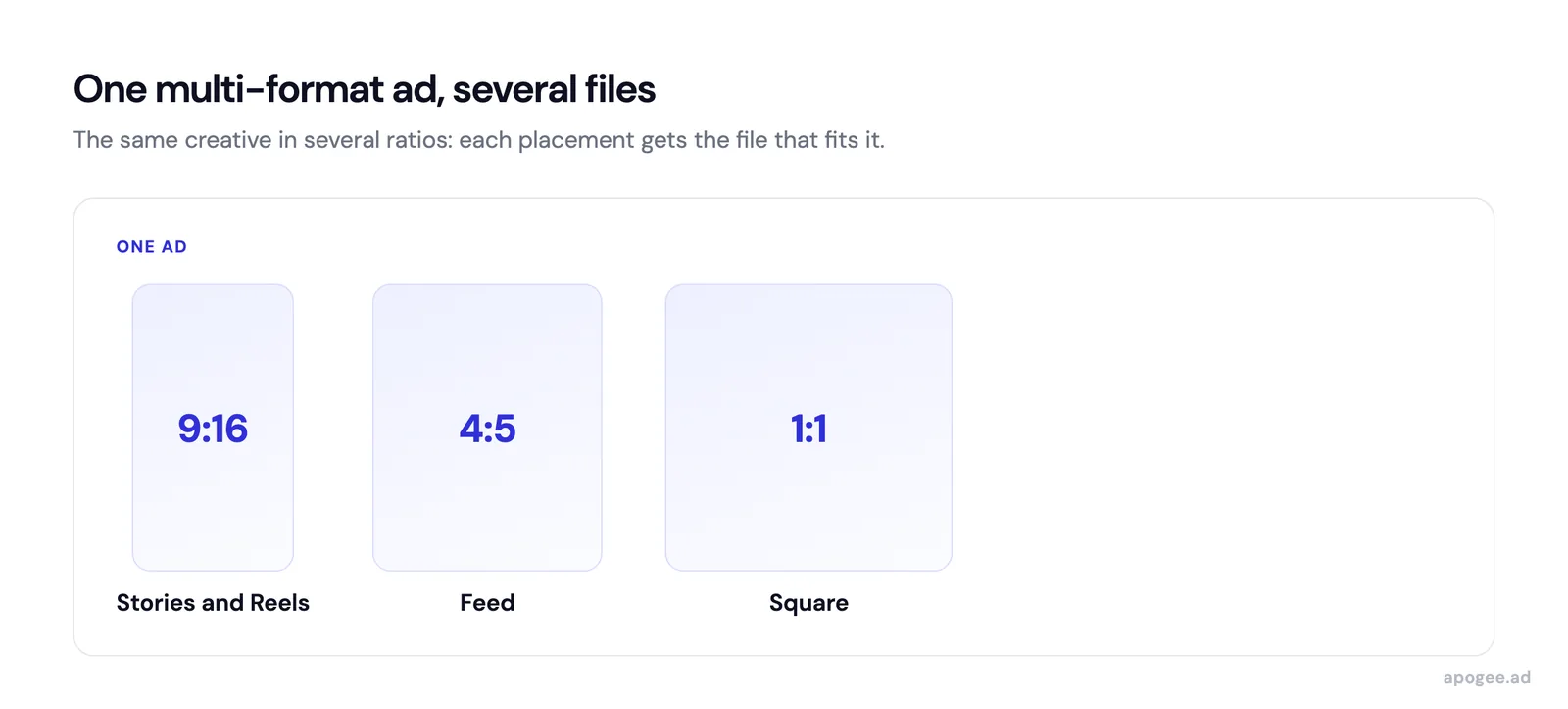
Meta’s own advice points the same way. If you were creating a separate ad set for each placement, it recommends combining them and using Advantage+ placements with asset customization instead. Fewer ad sets means each one gathers results faster, which matters for the learning phase.
Two conditions apply:
- each version must exist as its own file, exported in its own ratio
- every ad needs its own mapping, which is fine for five ads and a chore for ninety
Do multi-format video ads work the same way?
Yes, with one more constraint. A 4:5 video for Feed and a 9:16 video for Reels are two exports, and the vertical one usually needs its own framing rather than an enlarged copy of the 4:5 edit. Meta’s Ads Guide recommends 4:5 at 1440 x 1800 pixels for video in Facebook Feed, and 9:16 at 1440 x 2560 pixels for Reels.
Once both files exist, they go in the same ad, exactly like images. In Apogee, the ratios of one video are bundled into one ad, but a video and an image of the same concept are never mixed: they become two separate ads, suffixed automatically.
What goes wrong when you handle formats by hand?
Your creative team produces a concept in 3 formats: 1080x1080 (square), 1080x1350 (4:5), 1080x1920 (9:16). For 10 concepts with 3 iterations each, that is 90 files. In Ads Manager, you need to create each ad, upload the right file for the right placement, and verify the mapping. One wrong assignment, and part of your budget goes to a creative shown in a shape it was not made for. Multiply by weekly launches, and many teams end up launching only one ratio for simplicity, which gives up the vertical placements.
You have three options to handle this. Meta’s native asset customization lets you assign a different file per placement inside Ads Manager, but the mapping stays manual for every ad. Third-party bulk upload tools like Ads Uploader (compared with Apogee) or Blip also handle multi-ratio assignment as part of their upload flow. Apogee takes the same approach and links the formats through your naming convention.
Meta’s native asset customization already assigns a different file per placement; what stays manual is the mapping for every ad. Upload tools remove that mapping step rather than adding a capability Ads Manager lacks.
What does multiformat automation not solve?
Serving the right ratio to the right placement fixes display, not persuasion: a weak concept in three formats is still a weak concept. Multiformat automation also assumes your team actually produces the vertical versions; if everything is exported in 1:1, there is nothing to assign. And native display will not compensate for an offer that does not convert once the click happens. Treat multiformat as hygiene, a baseline that stops you from losing performance, rather than a lever that creates it.
One setting can also undo the work. Among its Advantage+ creative enhancements, Meta lists a video auto crop option for single video ads. If you supplied a 9:16 file built for Reels, check which enhancements are on before launch. In Apogee, the Advantage+ controls expose eleven enhancements one by one, all off by default, on the Pro and Scale plans. The reasoning is in how to disable Advantage+ creative.
How can formats be assigned automatically?
Apogee recognizes four ratios at upload, 1:1, 4:5, 9:16 and 16:9, and shows them as a badge on each file. It reads the format from keywords in the file name first (9x16, vertical, story, 4x5, 1x1, square, 16x9, horizontal), then falls back on the media’s actual dimensions when the name says nothing.
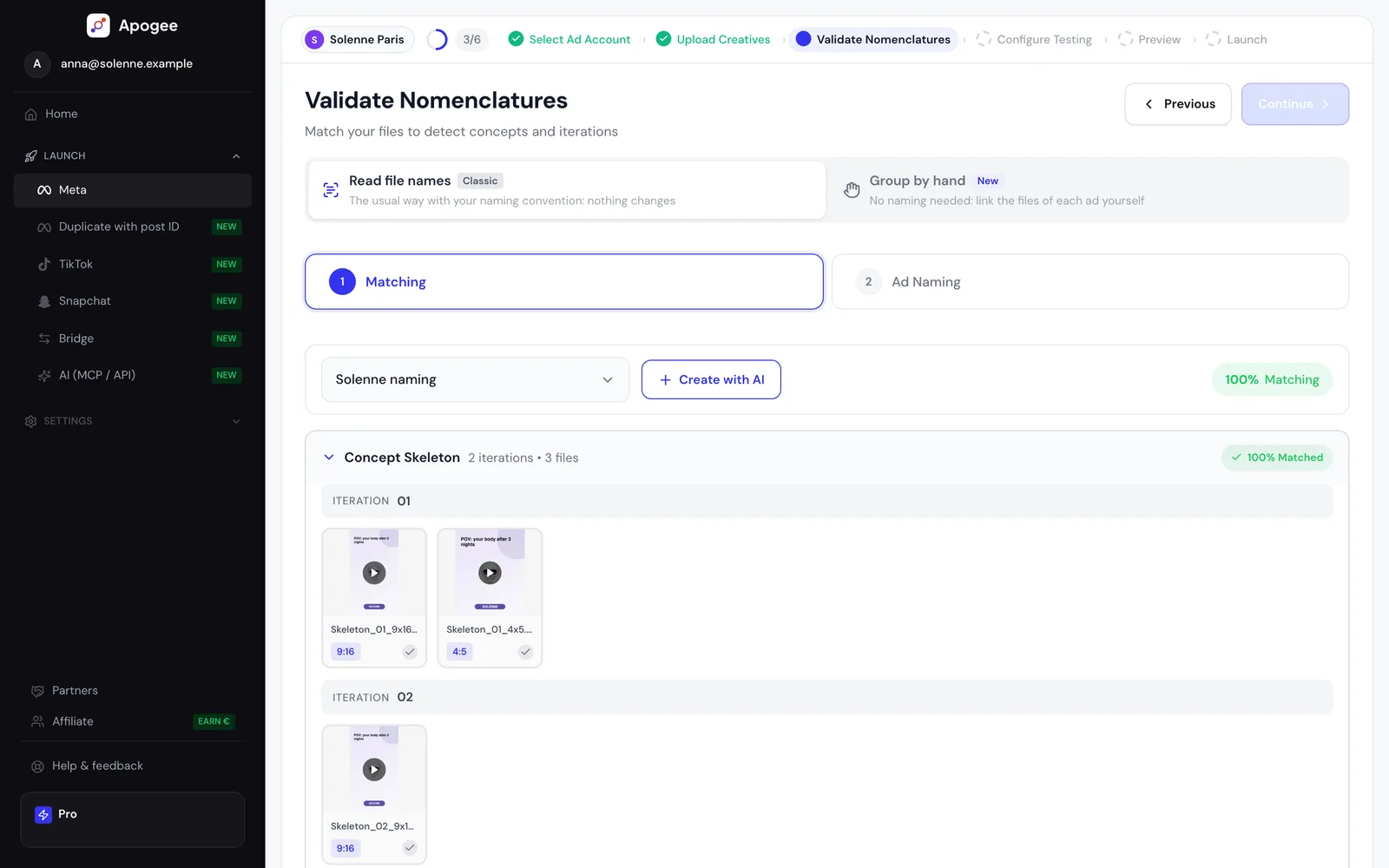
The platform then groups files by concept and iteration. A concept “ConceptA_V1” with its 3 ratios becomes a single Meta ad with one file per placement, which is how Apogee’s testing structures bundle formats: one ad equals one concept, one iteration and every format of that iteration. You do not map anything by hand: naming detection links the files through your naming convention, and the bulk upload publishes the whole batch.
Detection and grouping rely on different signals: the ratio comes from the file name or, failing that, the file’s dimensions, while linking the formats into one ad depends on the concept and iteration being spelled the same way. A correct ratio with an inconsistent name will not be grouped with its concept.
If your file names are not consistent yet, start with a creative file naming convention.
What about TikTok Ads and Snapchat Ads?
There is nothing to bundle there. Apogee’s TikTok Ads bulk upload only creates video ads, from vertical 9:16 videos in mp4, mov or avi: an image file does not become a TikTok ad. Its Snapchat Ads bulk upload also works from vertical 9:16 videos. On both, one vertical video gives one ad.
The workflow is the same as on Meta: account choice, file upload, naming validation, test configuration, preview, launch. The details per platform are on the Meta, TikTok Ads and Snapchat Ads page. In practice, the 9:16 version you produce for Reels is also the file your TikTok Ads and Snapchat Ads launches need.
Try Apogee for 7 days for €1 and launch your multiformat creatives in a single upload.
Related articles: