More articles 9 min read
ChatGPT for Facebook Ads: launch and track your ads with Apogee
ChatGPT for Facebook Ads with Apogee: launch a batch of creatives from a link, read the Meta, TikTok and Snapchat report, cut or scale. Prompts to copy.

Contents
- ChatGPT and Facebook ads: what you need first
- Prepare and approve a launch
- Read the results: the weekly report on Meta, TikTok and Snapchat
- Cut or raise a budget
- Move a Meta ad to TikTok or Snapchat with the Bridge
- Launch directly on TikTok and Snapchat
- What ChatGPT does not do, and when to stay in Apogee
- Going further
With ChatGPT, your Facebook ads run from the chat: on Monday you give it a link to twelve creatives and ChatGPT prepares their launch in three ad sets, then it reviews the week on Meta, TikTok and Snapchat. Apogee connects ChatGPT to your accounts and waits for your yes before anything is created. Launching needs ChatGPT Business, Enterprise or Edu; on Pro, ChatGPT reads your numbers without launching. The connection is covered in ChatGPT MCP: connect Apogee in developer mode.
ChatGPT and Facebook ads: what you need first
| Item | What you need |
|---|---|
| ChatGPT plan | Business, Enterprise or Edu to launch and change; Pro to read only |
| Access given to ChatGPT | Read to read, Launch to launch, Manage for pauses and budgets |
| Apogee plan | Pro, Growth or Scale, MCP server included; 7-day trial for €1 |
| Creatives | A Google Drive, Dropbox or Frame.io link: ChatGPT on the web does not send files to Apogee |
| Accounts | Your Meta, TikTok and Snapchat accounts connected to Apogee |
For links: Google Drive, Dropbox and Frame.io go through the account connected in Apogee, Settings → Integrations. A public Frame.io share also works without a Frame.io account if downloads are allowed; a password-protected share does not. For the other ways to connect ChatGPT to Facebook Ads, see the Meta Ads MCP guide.
Prepare and approve a launch
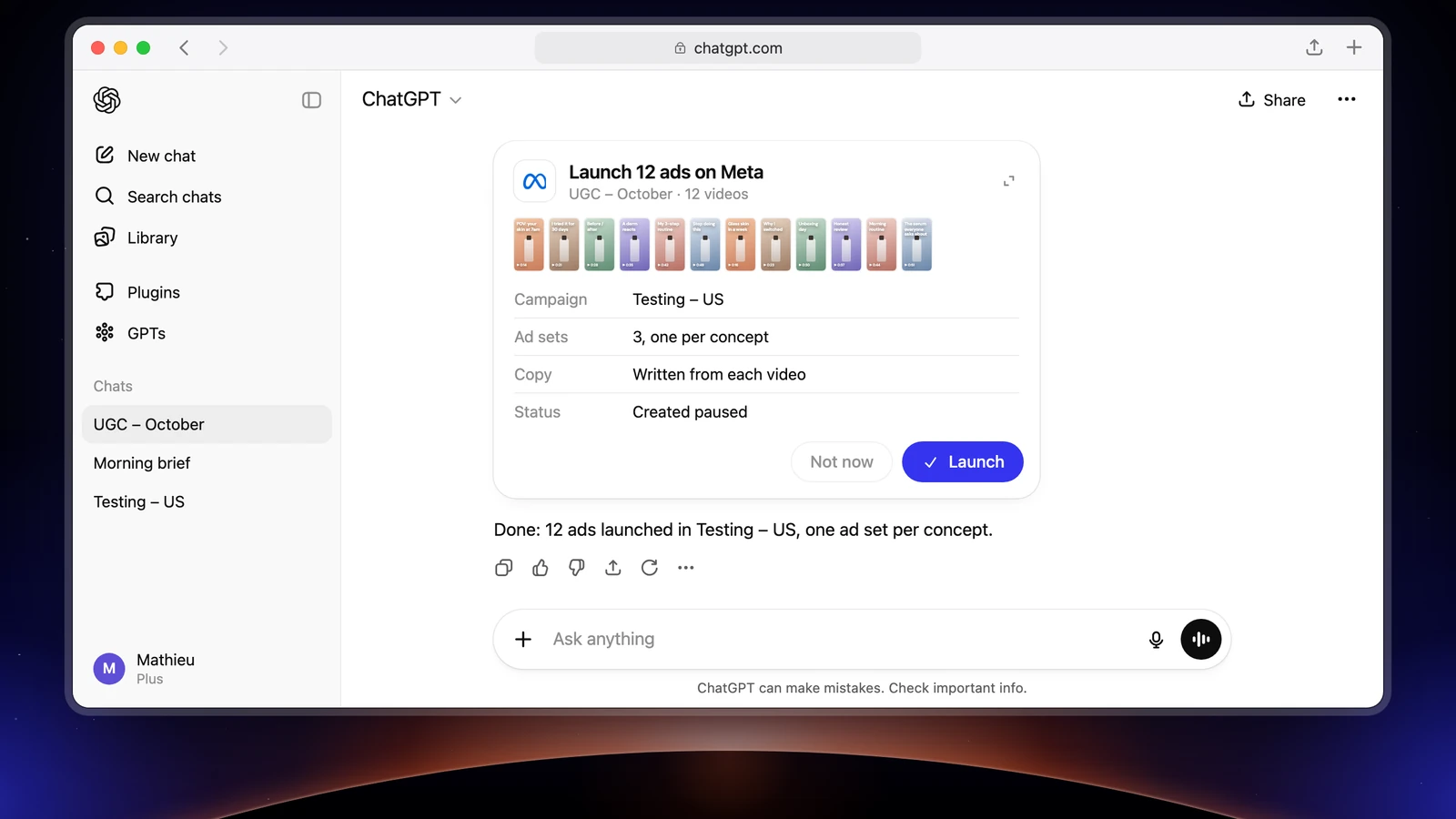
This is the Monday morning task: the new batch of creatives goes into testing.
What ChatGPT sends back, in the Apogee app’s order:
- The creatives imported:
import_linkstores them in Apogee andimport_statusfollows the import. Nothing reaches Meta at this point. - The settings reused:
get_latest_in_campaignreads the last ad set and the last ad of the campaign. - The ads proposed: one creative in 9:16, 4:5 and 1:1 makes one ad. ChatGPT shows you each ad with its files and lets you rename, split or group them.
- The interview:
get_launch_questionsasks the app’s questions, one topic at a time: identity, customer lifecycle strategy (Sales campaigns), audience, tracking, destination (URL, UTM, call to action), texts, Advantage+, catalog, budget and status. - The texts: a primary text, a headline and a description per ad, in the market’s language, for you to approve.
- The recap:
prepare_launchputs everything together without creating anything. After your yes,launchcreates the ads andlaunch_statusfollows the launch.
File names that mean nothing
Exports named IMG_4512.MOV or final_v3_OK(1).mp4 do not need renaming first:
Apogee links the files whose names differ only by the format; every other file becomes its own ad. Two files of the same length in different formats may be the same creative: ChatGPT asks you before linking them. Your files are never renamed; only the ads carry the names you choose.
What to check before you say yes
- the account, the campaign and the ad set structure;
- each ad and its files, one format per file;
- the texts, in the right language, and the URL with its UTMs;
- the Advantage+ enhancements: only the ones you choose are turned on;
- the budget and the status, paused.
ChatGPT also asks for its own confirmation before the write action: the two add up. If you change anything after the recap, Apogee prepares a new plan. If Meta rejects an ad, launch_status says what was refused and how to fix it; Apogee does not relaunch an error that needs a fix before you confirm the cause is fixed.
Read the results: the weekly report on Meta, TikTok and Snapchat
ChatGPT builds the report with Apogee’s read tools:
| Section | Meta | TikTok and Snapchat |
|---|---|---|
| Overview | get_ | get_ |
| Day by day | get_ | get_ |
| Best and worst ads | get_ | get_ |
| Your ROAS and CPA targets | get_ | the same brand profile |
| Creative fatigue | get_, get_ | Meta only |
Each platform keeps its currency and attribution: Apogee never adds up Meta, TikTok and Snapchat, and ChatGPT shows one block per platform. Compare each platform with its own previous week. If you use the Bridge, get_bridge_stats puts each Meta ad next to its TikTok and Snapchat copies, with the same 7-day click attribution everywhere.
For a shorter morning check:
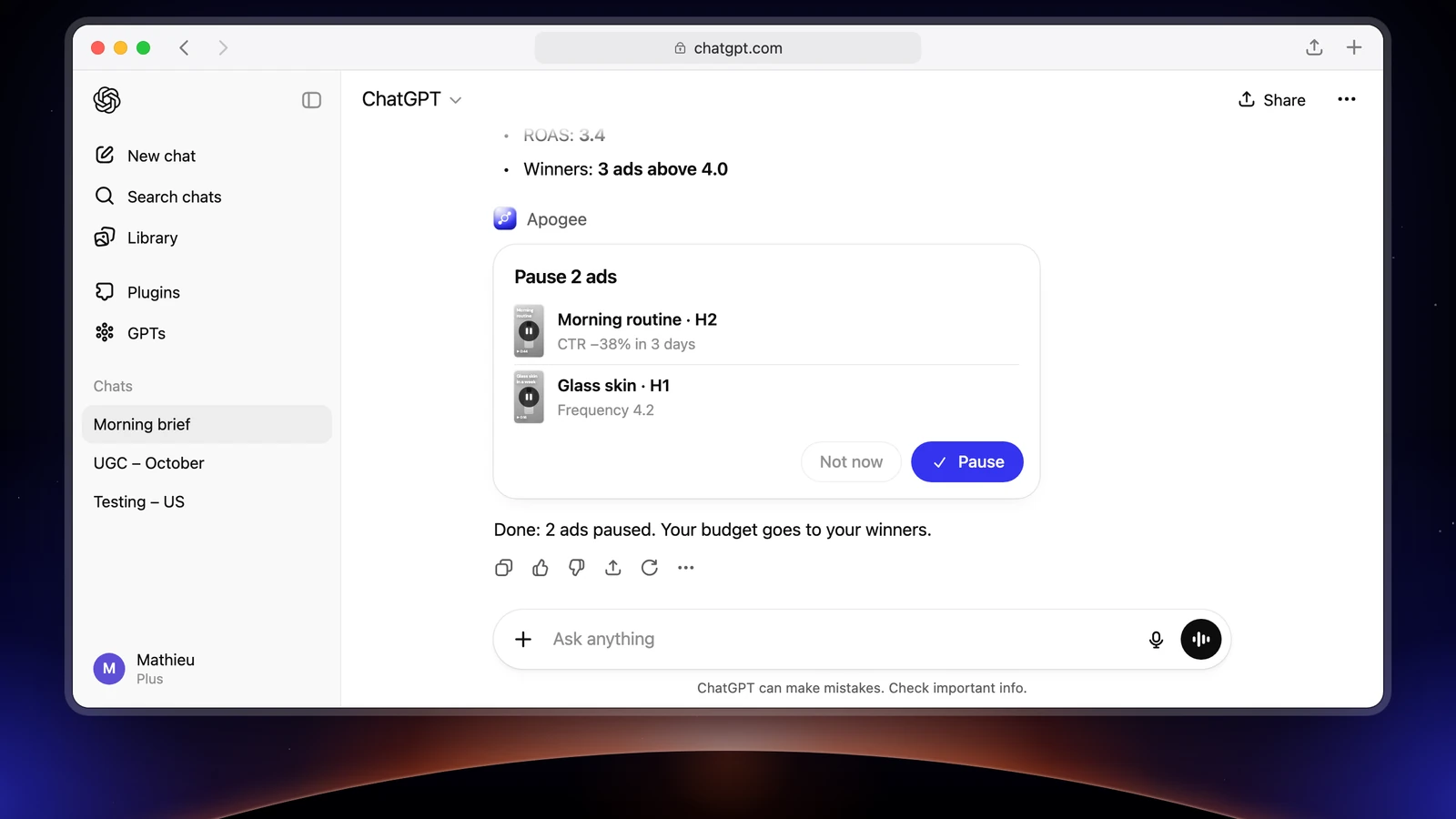
This report only reads: it also works on ChatGPT Pro.
Cut or raise a budget
The report points to the ads to cut and the ones to push. ChatGPT prepares, Apogee runs it after your yes:
| Platform | Tools that prepare | Run |
|---|---|---|
| Meta | pause_, pause_, scale_, update_ | execute_, after your yes |
| TikTok, Snapchat | set_, set_ | execute_, after your yes |
Before you approve, check the list: ad or ad set name, platform, spend, budget before and after. A prepared action is valid 24 hours and runs only once. scale_budget raises a budget by 100% at most per change, and a daily budget above the cap, 500 in the account’s currency by default, is refused. These changes need the Manage access and a ChatGPT plan that allows writes.
Move a Meta ad to TikTok or Snapchat with the Bridge
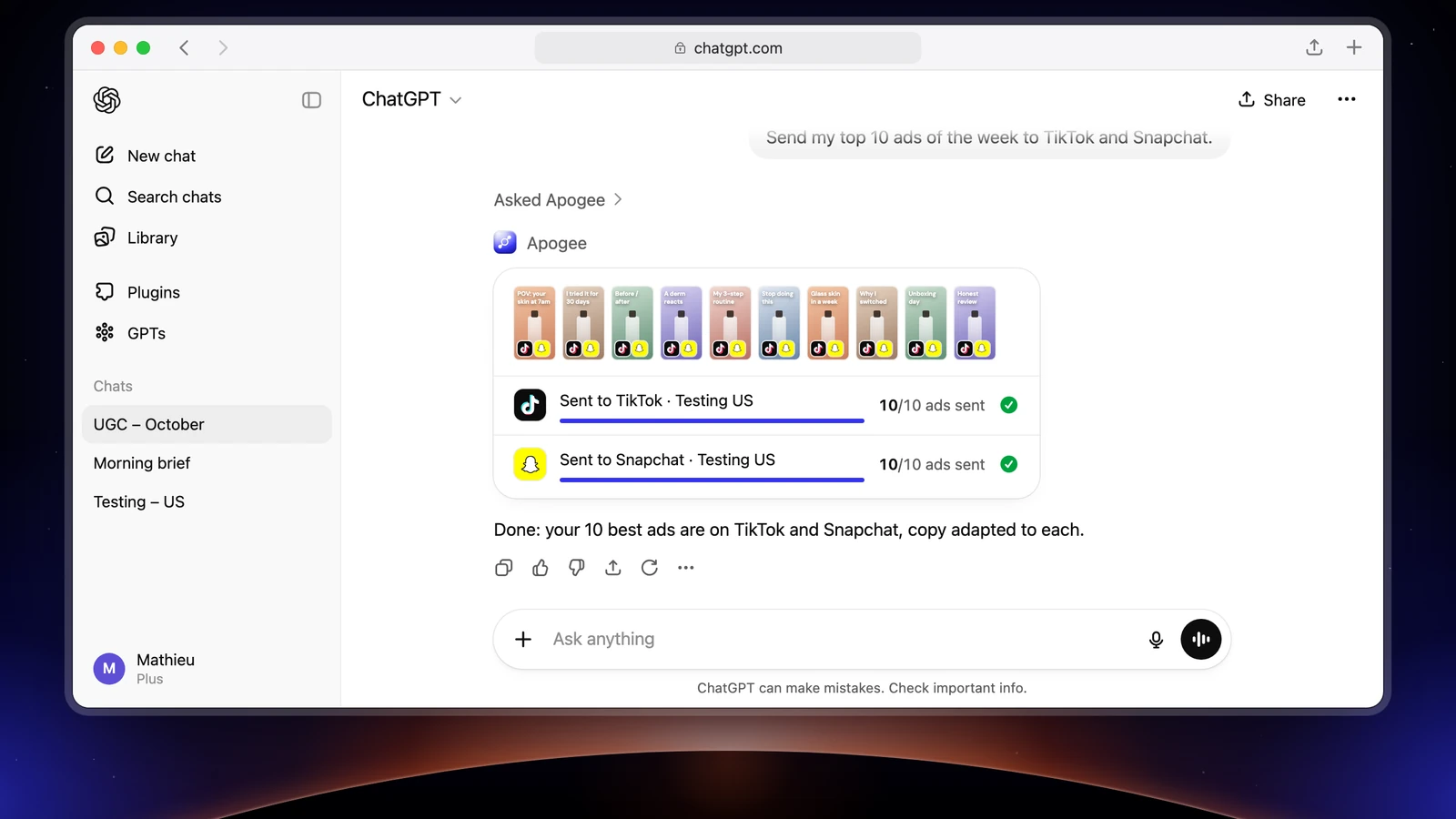
When an ad holds its CPA on Meta, test it on TikTok or Snapchat without starting from scratch: Apogee’s Bridge creates paused copies of it, with texts adapted to each platform:
ChatGPT picks the ads with get_top_performers, leaves out the ones already moved with list_bridge_transfers, prepares with prepare_bridge_transfer, then runs bridge_transfer after your yes and follows with bridge_transfer_status. The first time, it asks for what the destination requires and Meta does not provide: the TikTok identity, the Snapchat public profile, the call to action. Only videos go across, and the original Meta ads are not touched.
Launch directly on TikTok and Snapchat
The flow is the Meta one, with the TikTok or Snapchat account named in the prompt. TikTok creates an ad group, Snapchat an ad squad. ChatGPT asks for what each platform requires: on TikTok the identity and the Smart+ choice, on Snapchat the public profile, the pixel and the countries. Each platform has its own recap and waits for its own yes. The three platforms are detailed on the page Meta, TikTok and Snapchat in Apogee.
What ChatGPT does not do, and when to stay in Apogee
| Limit | What to know |
|---|---|
| ChatGPT Pro plan | Read only: apply pauses and budgets in Apogee or in each platform’s manager |
| Attached files | ChatGPT on the web goes through a link; no password-protected Frame.io share |
| Tasks that come back on their own | Not in a regular chat: paste the prompt every Monday, or give it to a dot |
| Total across platforms | Never: each platform keeps its currency and attribution |
| Bridge | Only videos go across |
| Catalogs and audiences | Apogee’s MCP does not create them: stay in Meta’s manager |
| Volume | 25 launches and Bridge transfers per ad account per 24 hours |
Every launch made from ChatGPT shows in the Apogee app’s history, like a launch made by hand. Reads are free within your plan’s daily limit; a created ad or a change that runs uses credits, only if it succeeds.
For an agent that launches your new creatives and sends the brief every morning without being asked, see ChatGPT dots as a media buyer on Meta, TikTok and Snapchat. The dots come with Pro outside the European Economic Area, the UK and Switzerland, and with Business Premium and Enterprise.
Going further
- Connecting Apogee to Claude, for the same work in Anthropic’s assistant;
- Apogee vs the official Meta Ads MCP;
- The ChatGPT technical sheet of Apogee’s MCP server, with every tool named here.