More articles 11 min read
Meta Ads MCP: run your ads from Claude, ChatGPT or Cursor
Meta Ads MCP: the 3 families of options, dated and sourced (Meta's official MCP, open source, Apogee), and how to connect Claude, ChatGPT, Cursor and 11 more.

Contents
A Meta Ads MCP is an MCP (Model Context Protocol) server that connects an AI assistant, such as Claude, ChatGPT or Cursor, to your Meta Ads accounts. The assistant reads your numbers and, depending on the server, creates or changes campaigns, ad sets and ads when you ask. As of November 3, 2026, there are three families of options: Meta’s official MCP, open-source servers published on GitHub, and tools such as Apogee, which add TikTok, Snapchat and a launch flow with approval. Below: the table of the three families, then the guide for each assistant.
Meta Ads MCP: the three families of options as of November 3, 2026
| Option | Platforms | What the assistant can do | Before it acts | Price |
|---|---|---|---|---|
| Meta’s official MCP, open beta since April 29, 2026 | Facebook, Instagram | Read performance; create and change campaigns, ad sets, ads, creatives and budgets; audiences, catalogs, A/B tests | Created paused, activation confirmed in the assistant; per-account rules since July 16, 2026 | No price published during the beta |
| TikTok’s official MCP, launched in July 2026 | TikTok only | About 400 tools from the TikTok for Business API: Smart+, GMV Max, reports, catalogs, audiences | Not published | No price published |
| Snap’s official MCP, live since August 3, 2026 | Snapchat only | Read-only; writing announced with no date | An admin approves each agent | No price published |
| Open-source servers, for instance pipeboard-co/meta-ads-mcp | Mostly Meta | Whatever their code opens of the Marketing API; this one reads, creates and changes campaigns, ad sets, ads and creatives | Depends on the code; this one states a confirmation on every write | Free code; run locally, your own Meta developer app |
| Apogee, app.apogee.ad/mcp | Meta, TikTok and Snapchat | 80 tools (54 read, 26 write): launch batches of creatives with the app’s interview, pauses, budgets, targeting, duplicates, Bridge between platforms; no catalogs or audiences to create | A full recap and your yes before each launch or change; ads paused by default | Included from the Pro plan, €99 per seat per month |
Sources, checked on October 24, 2026 for the official servers: Meta’s announcement and its developer documentation, TikTok’s server documentation, Snap’s announcement. Checked on November 3, 2026: the meta-ads-mcp GitHub repository and the documentation of Apogee’s MCP server. We have not tested the official or open-source servers on an account: what concerns them comes from what their publishers publish.
Meta’s official MCP
Meta opens its Marketing API to your assistant at mcp.facebook.com/ads. It documents it for ChatGPT, Claude, Claude Code and Perplexity; other assistants go through your own Meta app, with the ads_mcp_management permission. It is the broadest option on Meta alone (audiences, catalogs, A/B tests), with no guided launch flow published. Meta warns that the beta opens gradually: not every account has every tool yet. The criterion-by-criterion detail is in our comparison of Apogee and Meta’s official Meta Ads MCP.
Open-source servers
On GitHub, developers publish their own MCP servers for Meta Ads. Run locally, they need your own Meta developer app and access token, and you keep the server running yourself; what the assistant can do, and whether it asks for confirmation, depends on the code. One example: pipeboard-co/meta-ads-mcp, about 1,300 stars on November 3, 2026, is released under the Business Source License 1.1: free to use, but not open source in the strict sense, and its publisher also offers a hosted version.
Tools such as Apogee
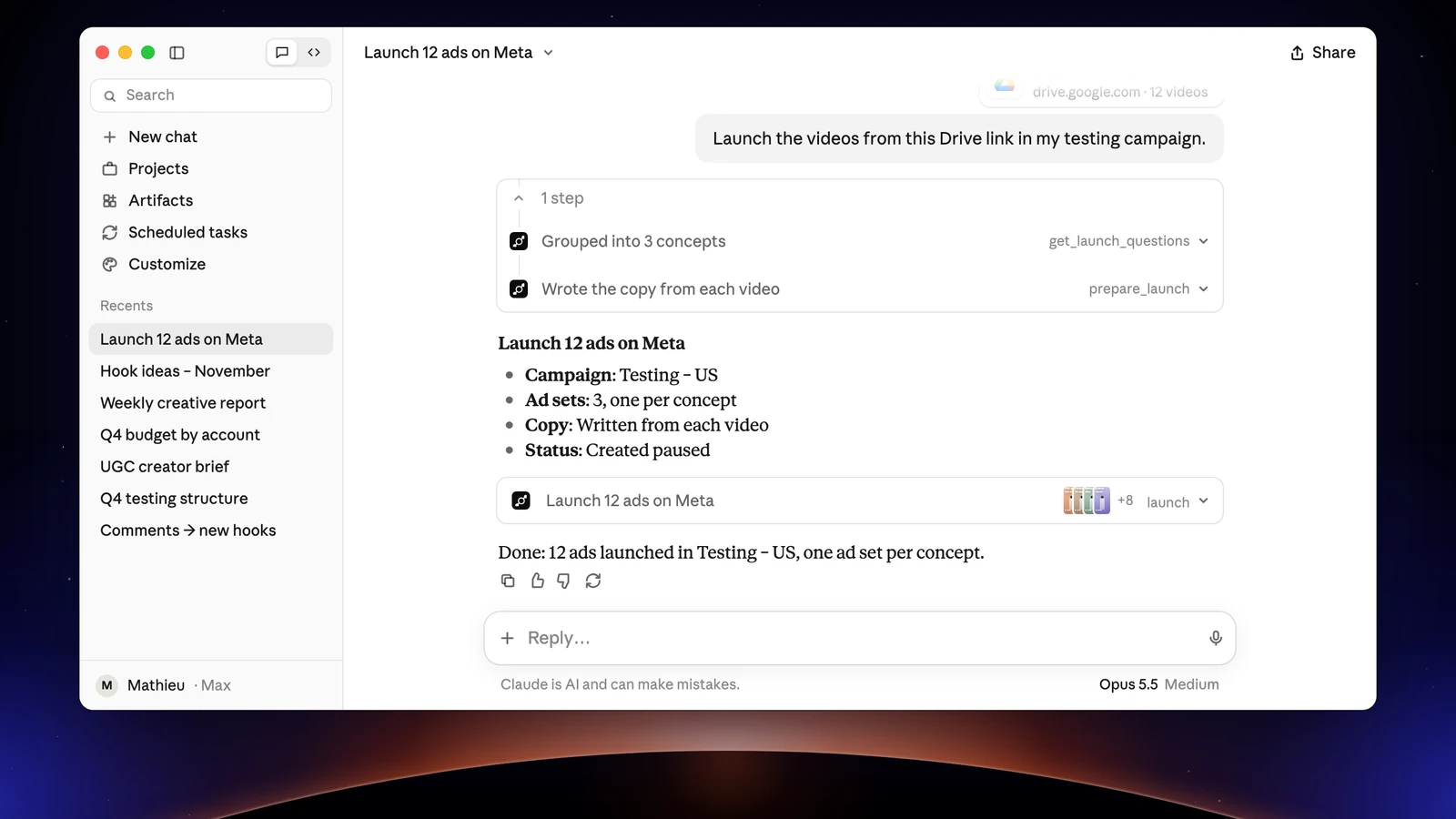
A tool brings its way of working into the assistant. Apogee is one server for Meta, TikTok and Snapchat: it asks its app’s questions before each launch, reads your file names with your naming convention, sorts the creatives into your test structures, shows the full recap and only acts after your yes. It creates neither catalogs nor audiences: for that, Meta’s MCP goes further.
Connect your assistant to Apogee’s Meta Ads MCP server
One URL for every assistant: https://app.apogee.ad/mcp. Depending on the assistant, you connect with OAuth (you log in to Apogee and pick the Read, Launch and Manage access) or with an API key created under Settings → API. The server is included from the Pro plan, with a 7-day trial for €1.
As of November 3, 2026, we have run a real paused launch on a test account from Claude, Claude Code and Grok Bot, and checked Grok’s connection. For the other assistants, the steps follow Apogee’s guide and each publisher’s documentation.
Personal agents: a media buyer that works without you
A personal agent repeats tasks at set times and asks for your approval before it acts. Connected to Apogee, it sends the morning brief, launches new batches of creatives and prepares pauses.
Claude Duet, Anthropic’s personal agent, is in preview with a waitlist in the United States. It reuses the connectors already added in Claude: you connect Apogee in Claude, and Duet uses it. The guide: Claude Duet as a media buyer on Meta, TikTok and Snapchat.
ChatGPT dots, ChatGPT’s always-on agents, use the plugins you installed. They come with Pro outside the EEA, the UK and Switzerland, and with Business Premium and Enterprise; according to OpenAI’s help, launching through an MCP server you add yourself needs a Business or Enterprise plan, and on Pro ChatGPT only reads. The guide: ChatGPT dots and your Meta, TikTok and Snapchat ads.
Grok Bot, xAI’s personal agent run with Cursor, adds Apogee from one sentence in the chat, then Authenticate; its routines repeat the brief or the pauses at set times. The guide: Grok Bot, your AI media buyer, which also covers Grok and Grok Build.
Muse, Meta’s personal agent, available in the United States and Canada, already connects Meta accounts through its own connector; Apogee plugs in as a custom connector and brings TikTok, Snapchat, bulk launches and the Bridge. The guide: Muse as your media buyer on Meta, TikTok and Snapchat.
Chat assistants
Claude, on claude.ai and in the desktop app: a custom connector under Customize → Connectors, with OAuth, on the Free (one custom connector), Pro, Max, Team and Enterprise plans. See connecting Apogee to Claude, then launching and tracking your Meta ads with Claude.
ChatGPT: an app created in developer mode, OAuth only. The Business, Enterprise and Edu plans can launch; on Pro, ChatGPT only reads. See connecting Apogee to ChatGPT, then launching your Facebook ads with ChatGPT.
Perplexity: a remote custom connector, with OAuth, on Pro, Max and Enterprise, where an admin allows it first. See connecting Apogee to Perplexity.
Mistral Vibe, formerly Le Chat: a Custom MCP Connector, for admins only; on Free, Pro and Student, the account owner is one. See connecting Apogee to Mistral Vibe.
Grok, on grok.com: New Connector → Custom in grok.com/connectors; on Business and Enterprise, an admin first allows custom connectors. The steps are in the Grok Bot guide above and on the Grok page of the developer guide.
Coding tools
Claude Code: claude mcp add --transport http apogee https://app.apogee.ad/mcp, then /mcp to sign in. See Claude Code and Apogee’s MCP server, then Claude Code for your campaigns, from the creatives folder to the Monday report.
Cursor: an API key in ~/.cursor/mcp.json, or OAuth from the desktop app. See connecting Apogee to Cursor.
VS Code, with GitHub Copilot in Agent mode: MCP: Add Server, then OAuth; on Copilot Business and Enterprise, an admin first turns on the MCP servers in Copilot policy. See connecting Apogee to VS Code.
Gemini CLI: two commands, gemini mcp add then /mcp auth apogee, with Gemini Code Assist Standard or Enterprise or a paid Gemini API key; Google AI Pro, Ultra and free users moved to Antigravity CLI on June 18, 2026. See connecting Apogee to Gemini CLI.
Devin Desktop, formerly Windsurf: an API key in ~/.config/devin/mcp_config.json. See connecting Apogee to Devin Desktop.
Grok Build, xAI’s coding agent: grok mcp add --transport http apogee https://app.apogee.ad/mcp, covered on the Grok Build page of the developer guide.
What an assistant does once connected
The same server and the same rules on all three platforms: each launch gets its own recap, each platform keeps its own currency and attribution.
On Meta Ads
The assistant launches batches of creatives from a Google Drive, Dropbox or Frame.io link, or from a folder on your computer for coding tools. It asks the app’s questions one at a time, builds the ads (one creative in 9:16, 4:5 and 1:1 makes a single ad), writes the texts in the market’s language and waits for your yes.
It also reads your numbers (best and worst ads, creative fatigue, placements, age and gender, devices), relaunches a winning ad with its post ID to keep its likes and comments, and prepares pauses, budgets and duplicates.
On TikTok Ads
Apogee launches Sales (Web conversions) campaigns, in ABO or CBO, in ad groups: one video per ad, images as a carousel, your TikTok posts as Spark Ads, and Smart+ if you pick it. The identity and the call to action are asked before the recap.
On Snapchat Ads
Ads go into ad squads, as videos or images; Apogee asks for the public profile, the pixel and the countries. Pauses and daily budgets are prepared as on TikTok, then run after your yes. Both platforms in detail: TikTok Ads bulk upload and Snapchat Ads bulk upload.
Between platforms: the Bridge
Apogee’s Bridge relaunches a Meta ad that works on TikTok or Snapchat, paused, with adapted texts, without touching the original. It also copies an ad, an ad set or a campaign to another Meta ad account. To TikTok and Snapchat, only videos go through.
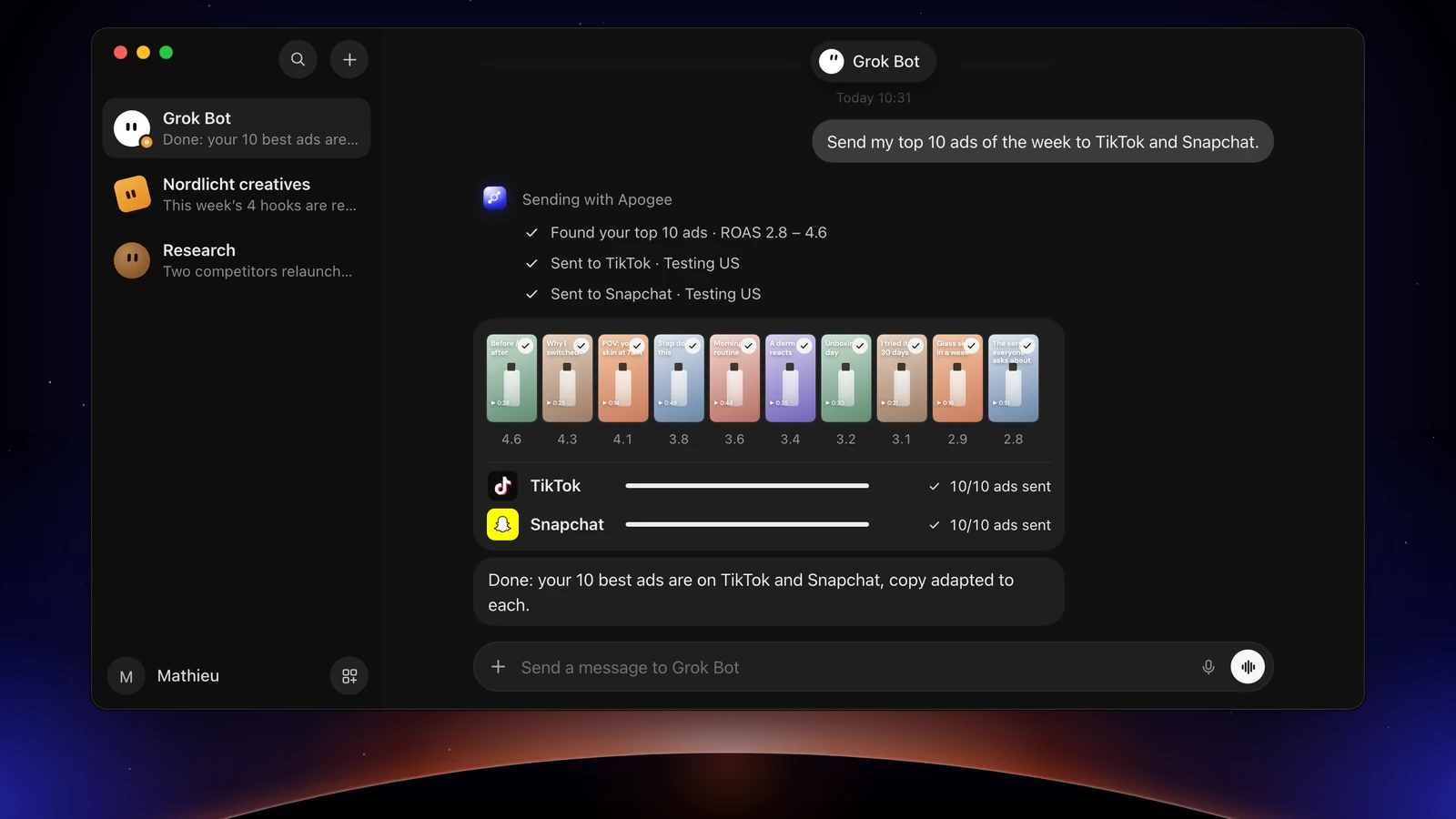
Reports follow the same rule as Apogee’s cross-platform stats: never a total across Meta, TikTok and Snapchat, since a conversion is not measured the same way on each.
Risks and good practice
Access to the account
An open-source server run locally needs your own Meta app and an access token. Meta’s developer terms forbid sharing that token, except with a provider that runs the app. With a hosted OAuth server, such as Meta’s or Apogee’s, you copy no token: you authorize the assistant on a page, and you disconnect it in one click.
Running without approval
The real risk is an agent that writes without review. Meta’s MCP creates paused and, since July 16, 2026, lets you set per-account rules to block actions or cap budgets. Apogee enforces its guardrails on the server side, whatever the assistant:
| Guardrail | Value |
|---|---|
| Before any launch or change | A full recap and your yes |
| Status of created ads | Paused by default |
| Prepared plan | Valid 24 hours, runs only once |
| Daily budget | Refused above the cap, 500 in the account’s currency by default |
| Launches and Bridge transfers | 25 per ad account over 24 hours |
After a Meta rejection, Apogee gives the cause and what to fix before any new attempt.
Meta API limits
The Marketing API limits show what Meta watches: four budget changes per hour for an ad set, ten changes per day to an account’s spending limit, one change every 30 seconds to the same object. Meta also temporarily lowers the quota of an account whose traffic looks abnormal.
In spring 2026, advertisers said they lost their account after connecting an AI agent with write access. Meta confirmed no link, and its help center says an account is unlikely to be banned just for using its MCP server.
Good practice
- Give each assistant only the access it needs: Read for a brief, Launch to launch, Manage for pauses and budgets.
- One API key per tool, in a user file, never in a shared project file.
- Have ads created paused and read the recap: ads and files, texts, Advantage+, budget.
- Do not fire bursts of changes at the same ad set: group them in one request.
- Cut the access of an assistant you no longer use: Disconnect under Settings → MCP (or Settings → Personal agents for an agent), or Revoke on its key under Settings → API, API keys list.
Going further
- The detailed comparisons: TikTok Ads MCP and Snapchat Ads MCP side by side with Apogee;
- Running Meta Ads with an AI agent, the method before the tool.