More articles 13 min read
Claude Code for marketing: launch and track your Meta ads
Claude Code for marketing: turn a folder of creatives into an approved Meta launch, then run the Meta, TikTok, Snapchat and Bridge report, prompt by prompt.

Contents
Claude Code for marketing, in practice: a media buyer’s week from the terminal. A folder of creatives on your disk becomes a prepared and approved Meta launch, then come the Monday review on Meta, TikTok and Snapchat, the pauses, the budgets and the Bridge to TikTok and Snapchat. Each task below gives the exact prompt, what Claude Code sends back, what to check before you say yes and the Apogee tools it calls. The connection itself is one command: see adding Apogee’s server to Claude Code.
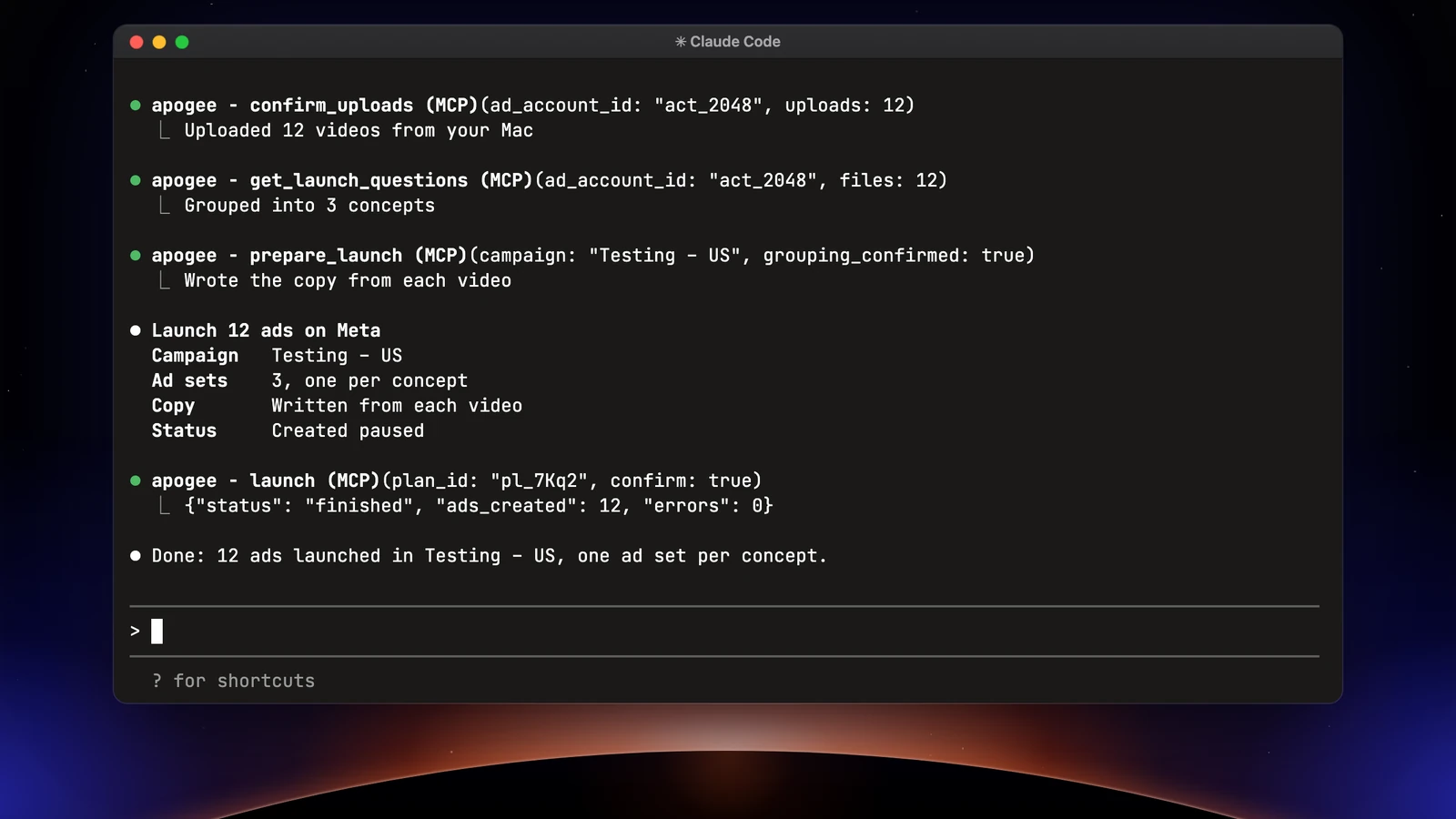
Claude Code for marketing: the typical week
Open Claude Code in a working folder dedicated to your ads, the one where Apogee, your Meta Ads MCP server, is added: the creatives, the reports and their history live there.
| When | Task | Platforms | What you approve |
|---|---|---|---|
| As soon as a batch of creatives lands | Launch the folder | Meta, TikTok, Snapchat | The launch recap |
| Monday morning | The weekly report | Meta, TikTok, Snapchat, Bridge | Nothing, it only reads |
| Monday, after the report | Cut and scale | Meta, TikTok, Snapchat | Each change |
| Once a week | Move the Meta winners | Bridge to TikTok and Snapchat | The transfer recap |
| Whenever you ask | Yesterday’s numbers | Meta, TikTok, Snapchat | Nothing, it only reads |
Launch a folder of creatives on Meta
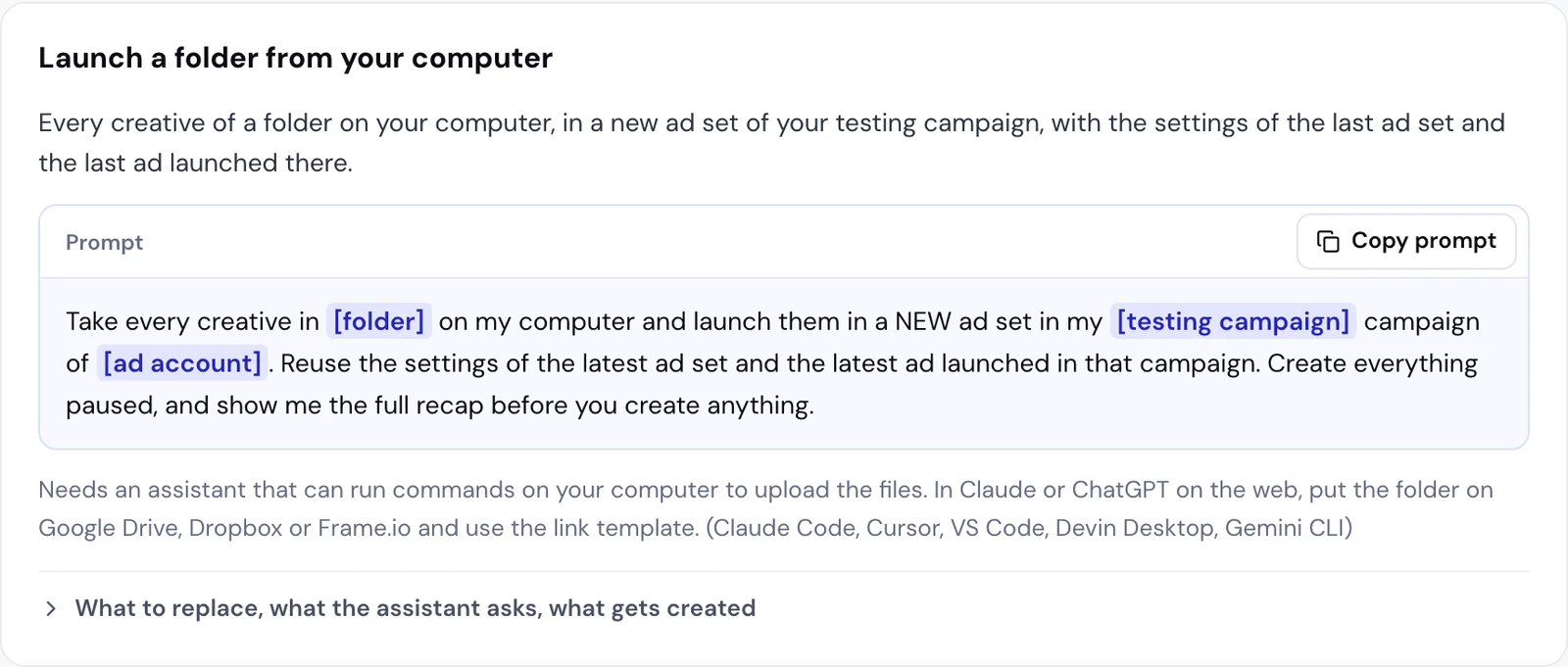
Claude Code works on your computer. It reads the folder and uploads each file to Apogee itself, with no detour through Google Drive, Dropbox or Frame.io. Apogee’s guide files this under the “Launch a folder from your computer” template, kept for tools that read a local folder: Claude Code, Cursor, VS Code, Devin Desktop and Gemini CLI.
Replace [folder] with the folder’s path (for example ~/Desktop/Solenne October), [testing campaign] with the campaign’s exact name and [ad account] with the account as it shows in Apogee.
What Claude Code does, tool by tool
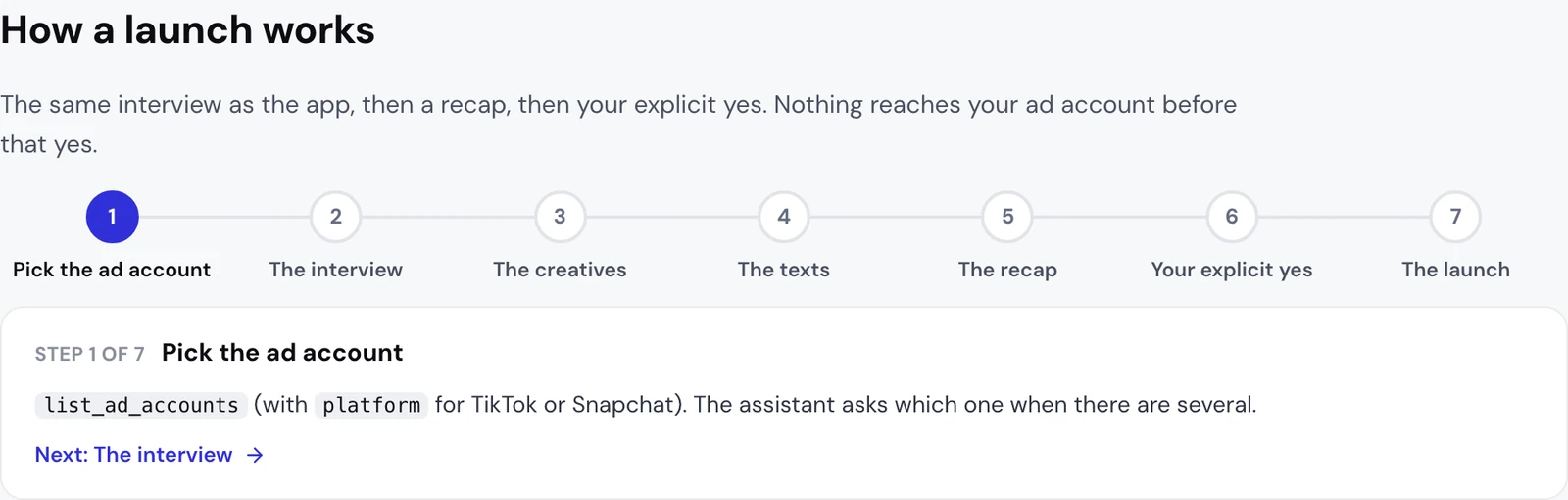
- The account:
list_ad_accounts, and a question about which one when you have several. - The starting point:
get_latest_in_campaignfinds the latest ad set and ad of the campaign, to copy their settings. - The files:
get_upload_urlsgives one signed upload URL per file (50 per call, 500 MB per file, valid 1 hour). Claude Code uploads each file with aPUTrequest and reads its format (9:16, 4:5, 1:1 or 16:9), thenconfirm_uploadschecks none is empty. Nothing is on Meta yet. - The interview:
get_launch_questionsreturns the questions the app asks before every launch, in its order, with the choices read from your account and a recommended answer. Claude Code asks them one topic at a time and never answers for you. - The ads: Apogee builds them from the file names and your saved naming convention. One creative in 9:16, 4:5 and 1:1 makes a single ad.
- The recap:
prepare_launchcreates nothing. It refuses while a question is open, applies only the app’s documented defaults and lists them, has Meta check the plan, then returns the recap with a plan ID valid 24 hours. - The launch: after your yes,
launch, thenlaunch_statusuntil it is done.
What to check before you say yes
| In the recap | What you check |
|---|---|
| The ads | Each ad holds the formats of one creative only, with the right name |
| The new ad set | Its name, as you want to read it in Ads Manager |
| What is copied | The ad set’s audience, conversion event, bid and budget; the ad’s page, Instagram, URL, call to action and texts |
| Advantage+ | Only the enhancements you picked are on, every other one goes off |
| The catalog | Shown or not, when the account has one |
| The defaults | The list of what Apogee applied without asking you |
| The status | Paused |
The result: one new paused ad set with the copied settings, and one paused ad per creative, with the latest ad’s page, URL, call to action and texts. Any correction runs prepare_launch again and gives a new recap. The same bulk launch is done in the app with Apogee’s bulk upload.
File names that mean nothing
IMG_4512.mov or final_v3_OK(1).mp4 cannot go through a naming convention. Apogee then groups the way the app’s Group by hand button does: files whose names differ only by their format make one ad, every other file is its own ad, named after it. Two videos of the same length in different formats: Claude Code asks you before linking them.
Each group becomes an ad set. An ad left out of every group gets its own ad set, or goes into “Group 1” once other ads have a group.
The same folder on TikTok or Snapchat
The files Claude Code uploaded also serve TikTok and Snapchat. Name the platform and the account:
Claude Code asks for what each platform requires and Meta does not provide: on TikTok, the identity for example, and an image runs as a carousel there; on Snapchat, the public profile, the pixel and the countries, in an ad squad. Each platform gets its own recap and waits for its own yes.
If the launch fails
launch_status says what the platform refused and what to do, with a link to the help page when there is one. Claude Code should explain it and wait until the cause is fixed: launching again unchanged would fail the same way, and Apogee refuses a launch when the last two on the same account failed with the same error, until you confirm the fix.
The weekly report: Meta, TikTok, Snapchat and Bridge
| Platform | What Claude Code reads | Apogee tools |
|---|---|---|
| Meta | Overview, day by day, best and worst ads | get_, get_, get_ |
| TikTok and Snapchat | The same reads, one platform at a time | get_, get_, get_ |
| Bridge | Each Meta ad next to its TikTok and Snapchat copies | get_ |
| Your targets | Target ROAS or CPA | get_ |
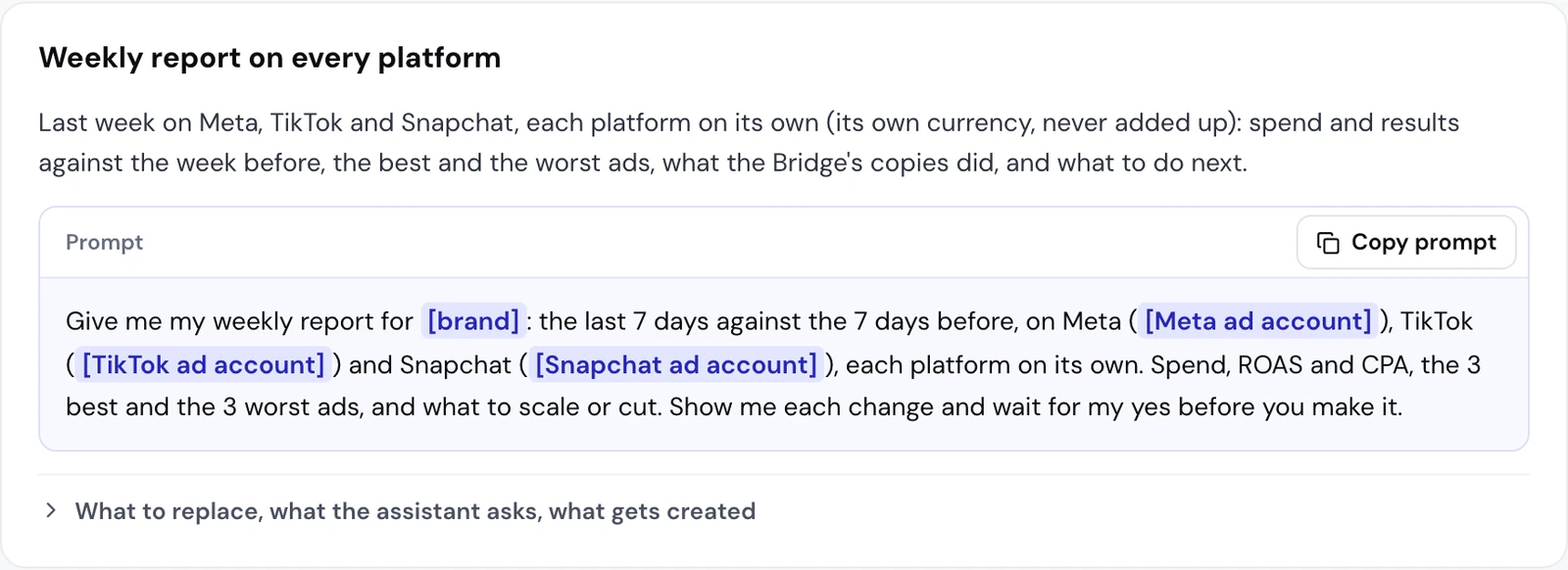
The report comes in three blocks, one per platform, each in its own currency. Apogee never adds Meta, TikTok and Snapchat together: each platform measures with its own attribution. The first time, Claude Code asks for your targets if it does not know them; update_business_profile can remember them for the weeks after.
Claude Code has one thing chat apps lack: it writes to your working folder. Add “Also save this report to reports/[date].md” at the end of the prompt, and you keep the history week after week, to reread or compare.
Yesterday’s numbers, on demand
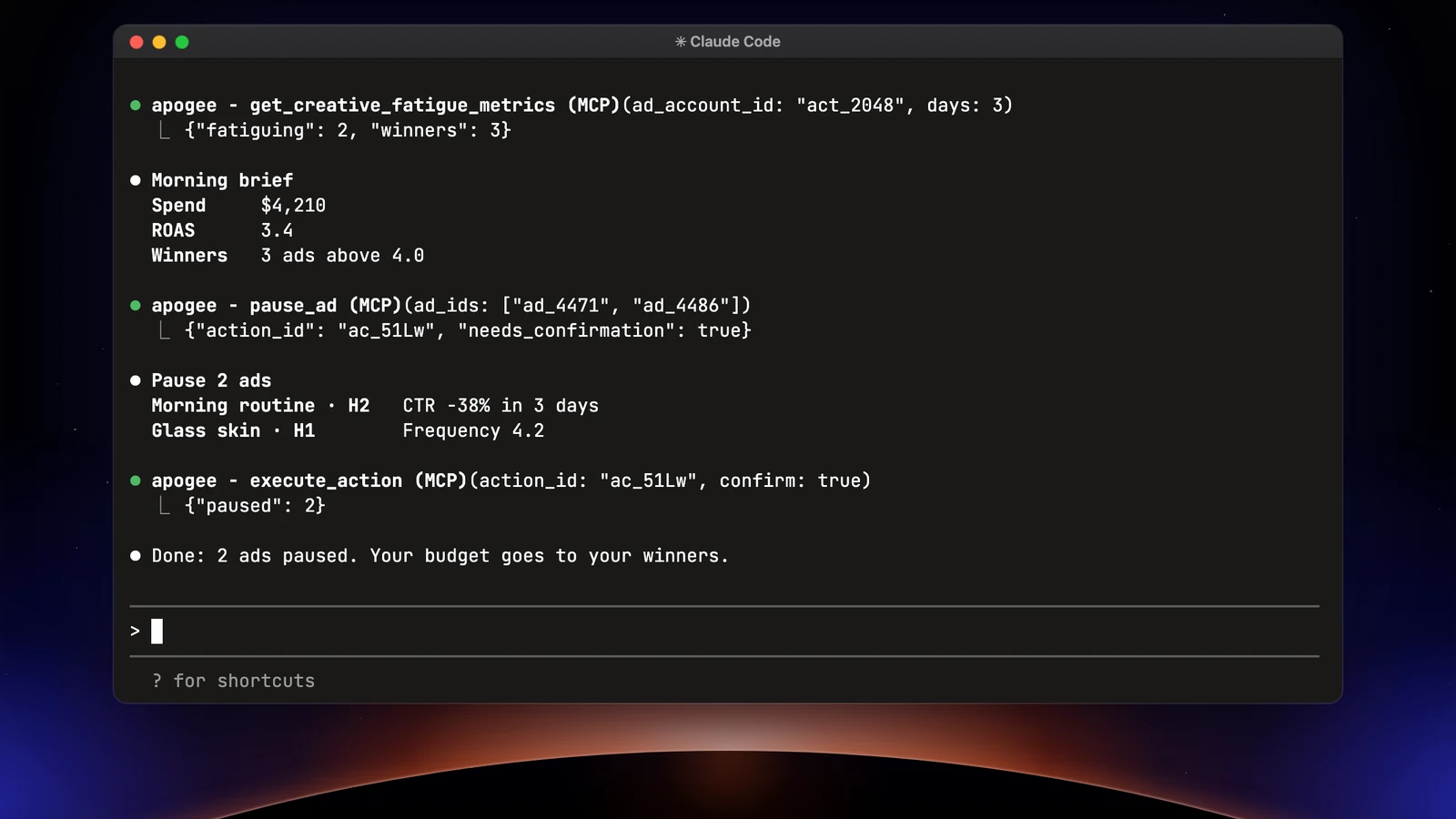
Claude Code answers when you write to it. To get this check every morning without asking, a personal agent does it: see Claude Duet as your media buyer on Meta, TikTok and Snapchat.
Cut and scale: pauses and budgets
To read, Claude Code relies on get_top_performers, get_ads and get_creative_fatigue_metrics, which flags a tired creative when frequency is above 3 and CTR drops by more than 15%, and on get_video_metrics for hook rate and hold rate. To act, it prepares without changing anything:
| Change | Meta | TikTok and Snapchat |
|---|---|---|
| Pause | pause_, pause_ | set_ |
| Change a budget | update_, scale_ (+100% at most per change, €1 a day at least) | set_ |
| Run it, after your yes | execute_ | execute_ |
Each prepared action shows the before and the after, is valid 24 hours and runs only once. A daily budget above Apogee’s cap (500 in the account’s currency by default) is refused. Check the list before you say yes: you can approve a pause and refuse a budget increase in the same answer.
Scale a winner with its post ID
Claude Code first shows the ads it picked with their numbers, asks for the campaign, the ad set whose audience and conversion get copied, then each ad set’s name and budget. The result: two paused ad sets, each with its own cost cap, and new ads on the same posts as the winners, which keep their likes and comments. The winners themselves are not touched.
Move Meta winners to TikTok and Snapchat with the Bridge
An ad that works on Meta deserves a test on TikTok or Snapchat. Apogee’s Bridge sends it there with no export and no new upload:
[Meta ad] takes a name, an ID or several ads: reuse the best ads from the report directly. The flow:
get_top_performerswhen you describe the ads (“my 3 best by ROAS”), andlist_bridge_transfersso it never resends an ad that already went over.prepare_bridge_transferprepares the transfer without creating anything. If the destination still needs something it cannot take from the ads already there (a TikTok identity, a Snapchat public profile, a website, a headline), Claude Code asks you.- What cannot carry over as is, such as a remapped call to action or a video that is not vertical, is listed: your yes accepts it.
- After your yes,
bridge_transfer, thenbridge_transfer_status: completed, partial with the failures, or failed.
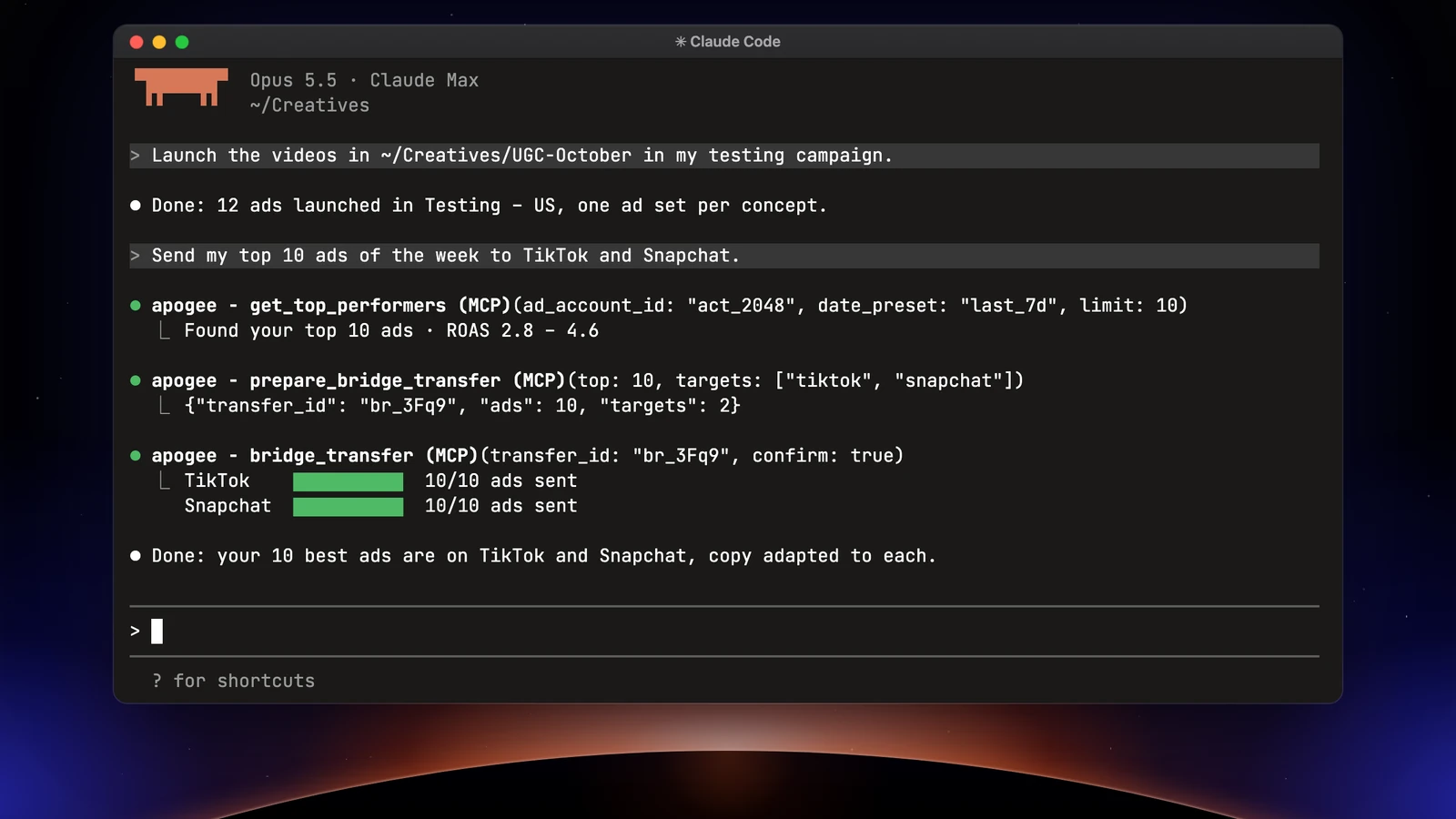
The ad lands paused in the chosen ad group or ad squad, with the Meta ad’s video and texts. Only videos go to TikTok and Snapchat. The next week, get_bridge_stats puts each Meta ad next to its copies, with 7-day click attribution on all three platforms, each in its own currency; get_bridge_daily_stats gives the day-by-day detail.
What Claude Code does not do, and when to stay in Apogee
- It does not work on its own. No task comes back by itself: for a brief every morning or pauses proposed every evening, use a personal agent.
- It runs nothing without your yes. A prepared plan or action is valid 24 hours and runs once; after that, Claude Code prepares it again.
- It stays within Apogee’s limits: 25 launches and Bridge transfers per ad account over 24 hours, a capped daily budget, no catalog or audience to create, no total across platforms.
- It only sees the accounts connected to Apogee. Connecting a Meta, TikTok or Snapchat account, or a Google Drive, happens in the app.
Stay in Apogee’s interface as well to save your naming convention, save a Quick Bulk Edit template for TikTok or Snapchat (Claude Code reads and uses them, but never creates or deletes one), or bind a creator’s Spark code before running their post as a Spark Ad.
What it costs, in Apogee credits:
| Action | Credits |
|---|---|
| Read, prepare, follow | 0, within the day’s free reads (5,000 on Pro) |
| An ad created, by a launch or the Bridge | 15, counted at the end: a failed ad costs nothing |
| A change that runs (pause, budget…) | 2 |
The Pro plan includes 10,000 credits a month; the details are on the pricing page.
Going further
- Launching Meta ads with Claude, the same job in the chat app, and Apogee’s connector in Claude;
- Apogee vs the official Meta Ads MCP;
- Apogee’s technical guide for Claude Code, with every tool named here;
- Anthropic’s documentation on MCP servers in Claude Code.